🔒 Closed Durgon – icon pack v1.3.0 apk

Status
Not open for further replies.

TheScript

Established
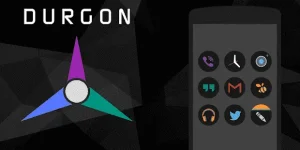
Durgon – Icon Pack v1.3.0 APK

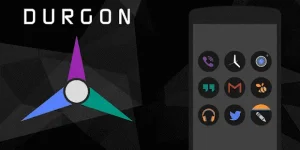
ARE YOU BRAVE ENOUGH TO JOIN DARK SIDE? TRUE DARK ICON PACK. SIMPLE, VIVID, FLAT AND CIRCLE! – Durgon – Icon Pack v1.3.0 APK

Durgon-Icon-Pack.png


Durgon – Icon Pack APK

Description:

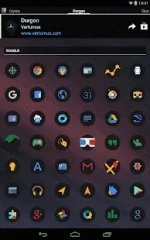
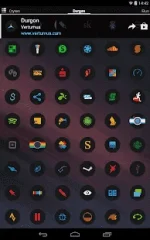
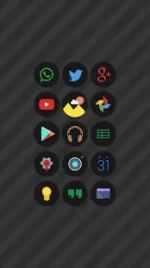
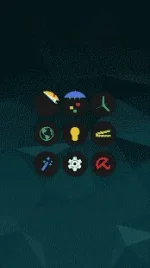
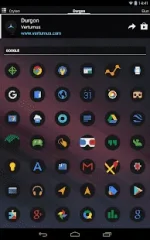
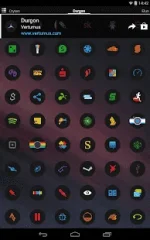
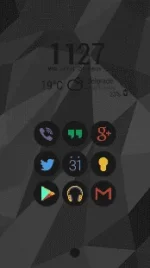
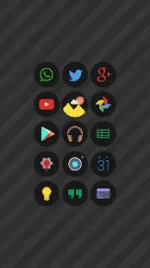
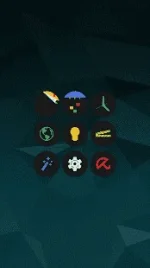
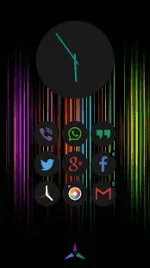
ARE YOU BRAVE ENOUGH TO JOIN DARK SIDE? TRUE DARK ICON PACK. SIMPLE, VIVID, FLAT AND CIRCLE!Icons look incredibly crisp, with high definition details on both phone and tablets!
Features:

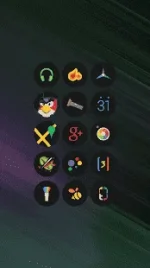
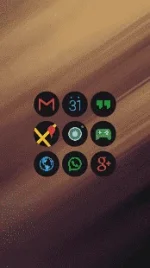
  • ★ 2.270+ HD icons (192×192) ready for future devices
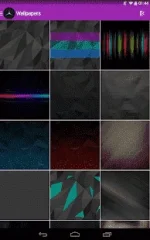
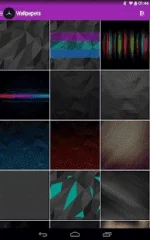
  • ★ 32 HD wallpapers cloud based. You can save them on your device!
  • ★ Icon masking will theme all your unthemed icons
  • ★ Launchers support: Action, ADWEX, Apex, Atom, Aviate, GO, Inspire, Nova, Smart, Solo, TSF, KK Launcher and many more!
  • ★ Works with every launcher using unicon
  • ★ Full MUZEI live wallpaper support
  • ★ Dynamic calendar icon support
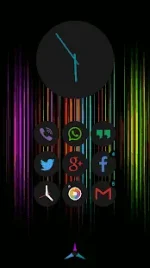
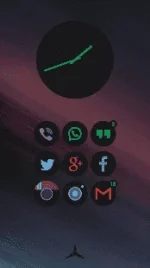
  • ★ Minimalistic analog clock widget
  • ★ Many alternative icons to chose
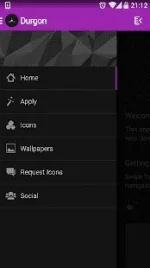
  • ★ Icons sorted in several categories with search and preview feature
  • ★ Help section for starters
  • ★ Regular weekly updates
  • ★ App design in very modern and minimal flat style
FOR GO LAUNCHER USERS:

  • Currently GO LAUNCHER does not support icon masking, so go to preferences > Icons > TICK OFF “show icon base”
FOR TSF LAUNCHER USERS:

  • Currently TSF LAUNCHER does not support icon masking!!!
FOR CM THEME ENGINE USERS:

  • If app disappear from the list, its CM bug and do this: go to settings of your device > apps > Durgon> delete cache and data > uninstall Durgon > go back to Play Store and install it again
  • You can also apply icons from launcher settings, if that launcher do not have apply button inside the app (for example ATOM)
Required Android O/S : 4.0.3+

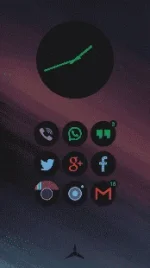
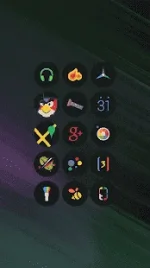
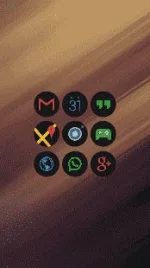
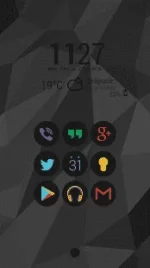
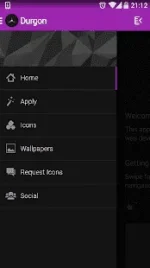
Screenshots:

8seSjgrGbEDJvGnEH5H-frmtLnfUyVmtgShC511nDrdCQ=h310.webp

qGHJ5mh-7o3c0mC2HXGzqHZUj-6-XScuhuv7yosTWqzm4=h310.webpvlZeuD3P9Fb_mssddUPb-FoOdn1547pkN9NJ37h6TyN-g=h310.webpZGl3Z7rdeeUL6OEwzlME1-whdfgAez-7lhiqG4cZliNeA=h310.webp
Sdu_y35HQSJHmIZXe_b8XfxDYehDDy8ELvWo2Ag_gkvLw=h310.webpab8qM-CIDViyKVw6yrZUYSS8QjjdrAB01Riel7R0JDVAQ=h310.webppN_iJMnU3pGlf-pZzXwkvFX-ln4QTYNyhfYd5yQuxFnsk=h310.webpslSeVVK56hDOmrt2xcKNHesqvm-mzn-UPiaovYiuTY0jg=h310.webp
ol5jPernnXOHts0pShxECTtU-RqNynz-UdA5uDIW9lK1L=h310.webpz8TWWdN3dc0zJTVBV3GguQ7wSvXtRxO9KxiGggjQCu_eg=h310.webpSX1QK5NveQd577hXxbGcvEY9gnpdYYVXsmfIThekjP9Bg=h310.webpdxXXVpOt-f-11cvpGUNdS-X04J6XC4OXb-uevy_U_U2_0=h310.webp
Instructions:

  1. Download
  2. Extract If Downloaded File Is Compressed (RAR or ZIP)
  3. Install APK
  4. Launch the App
wlt1r5.webp
 
Durgon – Icon Pack v1.3.0 APK

ARE YOU BRAVE ENOUGH TO JOIN DARK SIDE? TRUE DARK ICON PACK. SIMPLE, VIVID, FLAT AND CIRCLE! – Durgon – Icon Pack v1.3.0 APK

Durgon-Icon-Pack.png

Durgon – Icon Pack APK

Description:

ARE YOU BRAVE ENOUGH TO JOIN DARK SIDE? TRUE DARK ICON PACK. SIMPLE, VIVID, FLAT AND CIRCLE!Icons look incredibly crisp, with high definition details on both phone and tablets!
Features:

  • ★ 2.270+ HD icons (192×192) ready for future devices
  • ★ 32 HD wallpapers cloud based. You can save them on your device!
  • ★ Icon masking will theme all your unthemed icons
  • ★ Launchers support: Action, ADWEX, Apex, Atom, Aviate, GO, Inspire, Nova, Smart, Solo, TSF, KK Launcher and many more!
  • ★ Works with every launcher using unicon
  • ★ Full MUZEI live wallpaper support
  • ★ Dynamic calendar icon support
  • ★ Minimalistic analog clock widget
  • ★ Many alternative icons to chose
  • ★ Icons sorted in several categories with search and preview feature
  • ★ Help section for starters
  • ★ Regular weekly updates
  • ★ App design in very modern and minimal flat style
FOR GO LAUNCHER USERS:

  • Currently GO LAUNCHER does not support icon masking, so go to preferences > Icons > TICK OFF “show icon base”
FOR TSF LAUNCHER USERS:

  • Currently TSF LAUNCHER does not support icon masking!!!
FOR CM THEME ENGINE USERS:

  • If app disappear from the list, its CM bug and do this: go to settings of your device > apps > Durgon> delete cache and data > uninstall Durgon > go back to Play Store and install it again
  • You can also apply icons from launcher settings, if that launcher do not have apply button inside the app (for example ATOM)
Required Android O/S : 4.0.3+

Screenshots:

8seSjgrGbEDJvGnEH5H-frmtLnfUyVmtgShC511nDrdCQ=h310.webp

qGHJ5mh-7o3c0mC2HXGzqHZUj-6-XScuhuv7yosTWqzm4=h310.webpvlZeuD3P9Fb_mssddUPb-FoOdn1547pkN9NJ37h6TyN-g=h310.webpZGl3Z7rdeeUL6OEwzlME1-whdfgAez-7lhiqG4cZliNeA=h310.webp
Sdu_y35HQSJHmIZXe_b8XfxDYehDDy8ELvWo2Ag_gkvLw=h310.webpab8qM-CIDViyKVw6yrZUYSS8QjjdrAB01Riel7R0JDVAQ=h310.webppN_iJMnU3pGlf-pZzXwkvFX-ln4QTYNyhfYd5yQuxFnsk=h310.webpslSeVVK56hDOmrt2xcKNHesqvm-mzn-UPiaovYiuTY0jg=h310.webp
ol5jPernnXOHts0pShxECTtU-RqNynz-UdA5uDIW9lK1L=h310.webpz8TWWdN3dc0zJTVBV3GguQ7wSvXtRxO9KxiGggjQCu_eg=h310.webpSX1QK5NveQd577hXxbGcvEY9gnpdYYVXsmfIThekjP9Bg=h310.webpdxXXVpOt-f-11cvpGUNdS-X04J6XC4OXb-uevy_U_U2_0=h310.webp
Instructions:

  1. Download
  2. Extract If Downloaded File Is Compressed (RAR or ZIP)
  3. Install APK
  4. Launch the App
wlt1r5.webp
thanks for sharing TS.. (y)
 
Status
Not open for further replies.

About this Thread

  • 15
    Replies
  • 1K
    Views
  • 14
    Participants
Last reply from:
404 Not Found

Trending Topics

Online now

Members online
425
Guests online
861
Total visitors
1,286

Forum statistics

Threads
2,276,025
Posts
28,967,131
Members
1,232,056
Latest member
rawrr
Back
Top