 PH
PHMhaShziYing
Eternal Poster
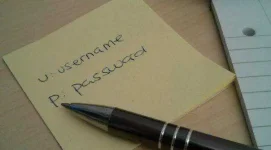
Every once in a while someone writes a You do not have permission to view the full content of this post. Log in or register now. telling us how the most frequent password still is "You do not have permission to view the full content of this post. Log in or register now." and how very bad it is.
That's an utter load of crap.
I know a bit or two about computer security. Yet, my most commonly used password is "password". And that's not going to change anytime soon.
Let me explain that. I'll start with an example.
Passwords of Average Joe
Few weeks ago someone on an underground forum shared logs from his password s†éálers. He had already processed all crypto-currency related information and log files had no other value to him. So, they were released to general public.
Let's see what passwords are used by someone in Indonesia:
- zipgrade.com - p1806211006
- qr-code-generator.com - p1806211006
- ugm.ac.id - p1806211006
How about Rogerio from Brazil?
- webzen.com - ro231088
- d4swing.com - 23101988
- twitter.com - ro23ge10rio88
- google.com - ro23ge10rio88
Final example - Oleg from Ukraine:
- moneyveo.ua - ********porn2017
- cash24.com.ua - ********porn2017
- creditup.com.ua - ********porn2017
- paypong.ua - q1w2e3r4t5y6u7i8
- wargaming.net - q1w2e3r4t5y6u7i8o9
- google.com - q1w2e3r4t5y6u7i8
- rabota.ua - q1w2e3r4t5y6u7i8o9p0
What's my point here?
Point #1 - don't save passwords in the browser
Contrary to what everyone keeps telling you, passwords saved in the browser are not safe from häçkers. Yes, it's very convenient for you - you visit a website and browser just magically remembers your password and fills in the form. But it's really not that safe.
All these passwords above were stolen from browsers using a password s†éáler.
Chrome uses your Windows password as a master password. So, any program that runs under your username can decrypt and s†éál your passwords. Firefox allows you to set a master password - but it's not enabled by default. And Internet Explorer... Have you heard about You do not have permission to view the full content of this post. Log in or register now.?
So, please don't do this.
Point #2 - your passwords must be unique
As you can see in the examples, people use several different passwords. But all of them are very very similar. As soon as you know one password, you can guess others.
My solution
There are different types of websites. There's the online banking website, there's your email, your favorite news portal, a Pokemon Encyclopedia and that torrent site from which you can download "things".
Not all of them are equally valuable to you, right?
If someone else gets access to your online bank, it's a disaster. If someone else can read your email, it's really unpleasant - but not the end of the world. If someone gets access to your Pokemon Encyclopedia account... Well, would you really care? And that torrent site run by Russians? You aren't even telling them your real name, right? smile
So, why should you use password like "\ZR3^m__fSJN=ct6" for some website you really don't care about? That's just plain stupid.
Valuable websites
There are some websites which contain your personal data. Name, address, credit card number, private photos, etc. You're probably paying a subscription fee for some websites like Spotify or Netflix. These are valuable websites.
For these websites I use my real email and a strong password. Every site gets a unique password. Something that you can spell and but is really unique. There are websites that can You do not have permission to view the full content of this post. Log in or register now. You do not have permission to view the full content of this post. Log in or register now. You do not have permission to view the full content of this post. Log in or register now..
Useful websites
Some websites are not valuable yet still useful. You don't have any personal data there, you're not paying for them - but they provide you with some value. Your online cookbook. Schedule for your favorite TV shows. Something.
For these websites I use my real email and a weak password. All websites get the same password. That's simple and easy to remember.
If the password gets leaked or cracked, I don't really care. The häçker will learn that I love You do not have permission to view the full content of this post. Log in or register now. and watch "You do not have permission to view the full content of this post. Log in or register now.". Yes, I have a weird taste, so what?
And I can always reset my password using my email.
Throwaway websites
All other websites are "throwaway websites". If you lose access to them, it doesn't matter. You can just create a new account and life goes on.
For these websites I don't use my real name. I don't use my actual email, either. It's easy to get a You do not have permission to view the full content of this post. Log in or register now. You do not have permission to view the full content of this post. Log in or register now. You do not have permission to view the full content of this post. Log in or register now. in case you need to "activate your account" for whatever reason.
So, for these websites, I use password "password". Because why not? And what if someone guesses my password? Well, I don't give a damn, please feel free to do that!
To make life simpler, I even have all those websites and username/password combinations written down in a TXT file. There goes that "don't write your password down" rule!
Why not use a password manager/2FA?
This post is not about keeping your valuable passwords safe. It's about not giving a damn about silly websites that force you to register. And that it is OK to have a password "123456" for those.
How you keep your valuable passwords safe is entirely up to you. I don't really trust a software password manager, they have vulnerabilities, too. But I am considering getting a Yubico key to use for my most valuable accounts.
Conclusion
I know this post will annoy some people. Please feel free to let your feelings known in the comments - but keep it civil.
Credit to Kao blog