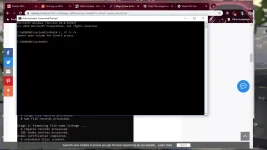
🔒 Closed Help! I’m trying to fix my external hard drive using chkdsk method but it always show “cannot open volume for diect access” message

Status
Not open for further replies.

Joshua0821

Established
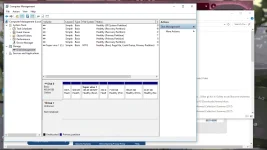
i accidentally unplugged my external hard drive from my computer without ejecting it first and when i’d plugged it back it no longer show to ”this pc“ directory but still recognisable and ejectable. I opened disk manager to see the status of my drive, it says” unknown“ and “not initialize.” can i still recover the files from my drive?
 
Kailangan siguro i-format na yan. Gamit ka lang file recovery software meron naman free like Recuva, search lang sa google.
 
send mo screenshot ng disk management
eto po ung sa disk management as you can see unknown po sya at di ko rin mainitialize then below is try chkdsk method
 

Attachments

  • Screenshot (42).webp
    Screenshot (42).webp
    101.8 KB · Views: 16
  • Screenshot (43).webp
    Screenshot (43).webp
    90.3 KB · Views: 17
eto po ung sa disk management as you can see unknown po sya at di ko rin mainitialize then below is try chkdsk method
awts pareho kayo nung nakita ko din sa fb group, need na yan iformat, but atleast "try" to recover your files, recommend ko yung You do not have permission to view the full content of this post. Log in or register now.
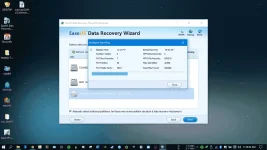
nasakin hdd nya ngayon im currently using easeus, 10 hours partition recovery + now currently 12 hours file recovery
medyo matagal sir pero try mo
Screenshot (131).webp
 
awts pareho kayo nung nakita ko din sa fb group, need na yan iformat, but atleast "try" to recover your files, recommend ko yung You do not have permission to view the full content of this post. Log in or register now.
nasakin hdd nya ngayon im currently using easeus, 10 hours partition recovery + now currently 12 hours file recovery
medyo matagal sir pero try mo
View attachment 766131
Ginamit ko po yang easeus kaso di ko makita ung disk ko, ρáíd version po ba yan?
 
You do not have permission to view the full content of this post. Log in or register now. easeus
pero bago kayo mag easeus, highly recommend ko yung testdisk, mag testdisk muna kayo lods bago mag easeus
eto link free to use - You do not have permission to view the full content of this post. Log in or register now.
Kaso
You do not have permission to view the full content of this post. Log in or register now. easeus
pero bago kayo mag easeus, highly recommend ko yung testdisk, mag testdisk muna kayo lods bago mag easeus
eto link free to use - You do not have permission to view the full content of this post. Log in or register now.
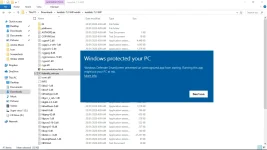
ito po kasi ang nalabas safe po ba tong test disk?
 

Attachments

  • Screenshot (44).webp
    Screenshot (44).webp
    83.1 KB · Views: 17
You do not have permission to view the full content of this post. Log in or register now. easeus
pero bago kayo mag easeus, highly recommend ko yung testdisk, mag testdisk muna kayo lods bago mag easeus
eto link free to use - You do not have permission to view the full content of this post. Log in or register now.
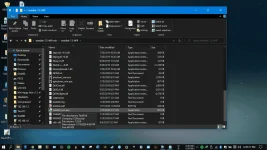
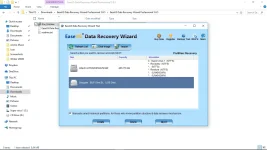
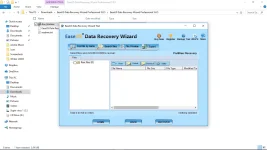
thank you very much to all your help, kaso mukhang goodbye na talaga para sa mga files ko.
Ibig sabihin po ba ng mga files below ay wla ng lman ang drive ko?
 

Attachments

  • Screenshot (48).webp
    Screenshot (48).webp
    71.9 KB · Views: 14
  • Screenshot (49).webp
    Screenshot (49).webp
    73.1 KB · Views: 15
Status
Not open for further replies.

About this Thread

  • 149
    Replies
  • 5K
    Views
  • 16
    Participants
Last reply from:
jamemar0

Trending Topics

Online now

Members online
1,095
Guests online
2,159
Total visitors
3,254

Forum statistics

Threads
2,277,113
Posts
28,974,459
Members
1,229,742
Latest member
slackenties
Back
Top