 PH
PHNeeded: PC, IDM, internet at pinaka importante ay common sense
1. Punta ka sa site na to (bytebx.com)
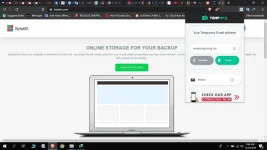
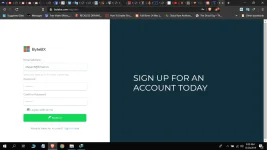
2. Sign up ka! use temp mail para iwas spam, at kahit anong password pwede.
3. Then, punta ka na sa paborito mong torrent sites, reccomend ko ay
YTS.am, 1337x.to, torrentz2.eu at marami pang iba.
4. Select what you want to download and the resolution you like.
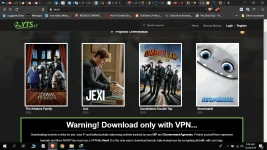
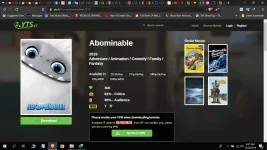
5. Depende pa rin sa torrent site kung pano sya idownload, pwedeng "copy link address" or "save .torrent file"
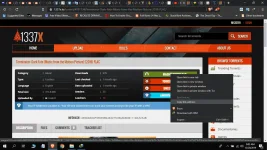
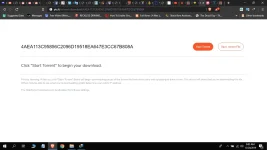
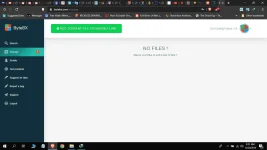
6. After mo macopy yung link or madownload yung torrent file, balik ka sa bytebx.com, click "add torrent file or magnet link"
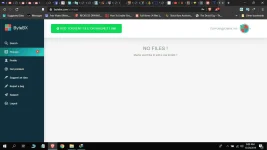
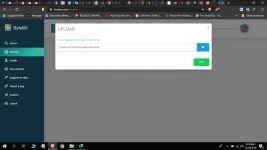 paste or select torrent file and click "GO"
7. Antayin mong matapos yung "caching" at saka mo iclick yung "download .zip"
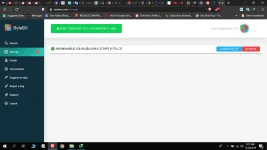
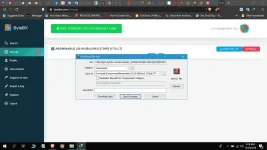 enjoy.
1. Punta ka sa site na to (bytebx.com)
2. Sign up ka! use temp mail para iwas spam, at kahit anong password pwede.
3. Then, punta ka na sa paborito mong torrent sites, reccomend ko ay
YTS.am, 1337x.to, torrentz2.eu at marami pang iba.
4. Select what you want to download and the resolution you like.
5. Depende pa rin sa torrent site kung pano sya idownload, pwedeng "copy link address" or "save .torrent file"
6. After mo macopy yung link or madownload yung torrent file, balik ka sa bytebx.com, click "add torrent file or magnet link"
paste or select torrent file and click "GO"7. Antayin mong matapos yung "caching" at saka mo iclick yung "download .zip"
enjoy.