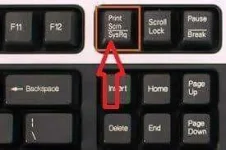
N Niel pernell Established Dec 27, 2019 #1 Sa mga master dyan sa pc computer patulong po baguhan kasi tungkol sa screen shot sa pc po paano gawin ROS gamer kasi di po ako marunong sceen shot po paturo po salamat .
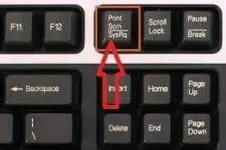
Sa mga master dyan sa pc computer patulong po baguhan kasi tungkol sa screen shot sa pc po paano gawin ROS gamer kasi di po ako marunong sceen shot po paturo po salamat .
R R0bbi3 Elite Dec 27, 2019 #2 Press alt+printscreen then open ka ng blank bitmap then right click mo yung bitmap edit then paste and save mo ng jpeg or bitmap Dec 27, 2019
Press alt+printscreen then open ka ng blank bitmap then right click mo yung bitmap edit then paste and save mo ng jpeg or bitmap
K Kentify Contributor Dec 27, 2019 #3 after you press that key go to: Windows + R or Start>Run tas lalabas to type mspaint then "OK" Lalabas si MSPAINT CTRL + V or right click + paste the image then CTRL + S to save the image.
after you press that key go to: Windows + R or Start>Run tas lalabas to type mspaint then "OK" Lalabas si MSPAINT CTRL + V or right click + paste the image then CTRL + S to save the image.
TS TS N Niel pernell Established Dec 29, 2019 #4 Kentify said: after you press that key go to: Windows + R or Start>Run tas lalabas to type mspaint then "OK" Lalabas si MSPAINT CTRL + V or right click + paste the image then CTRL + S to save the image. Click to expand... Thanks boss
Kentify said: after you press that key go to: Windows + R or Start>Run tas lalabas to type mspaint then "OK" Lalabas si MSPAINT CTRL + V or right click + paste the image then CTRL + S to save the image. Click to expand... Thanks boss