🔒 Closed Android - tutorial working settings for droidvpn (psiphon alternative)

Status
Not open for further replies.

Lawliet_1

Leecher
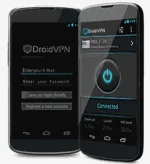
droidvpn.webp

Device ROOT permission Required!!!!!!!!!!!!!!!!!!!!!!!!!!!!!!!!!!!!!!!!!!!!!!!

Note:
Dapat hindi kayo nakaregister sa Powerapp
kung nakaregister pa kayo just text POWERAPP OFF to 5555

Requirements:
1. Android phone
2. Smart or TnT sim card
3. DroidVPN.apk
4. Brain.apk (important)

Tutorial:
1. Register for a DroidVPN account -> You do not have permission to view the full content of this post. Log in or register now.
2. Download DroidVPN.apk (download mo sa attachment)
3. Gamitin mo lang yung default Smart Internet APN wala ka ng babaguhin jan.
4. Open DroidVPN then Login your account.
5. Set the Connection Protocol to TCP
6. Tap on HTTP Headers tapos check mo yung Enable
Host:
X-Online-Host:

(Pili kayo ng dalawa dito na icocombine niyo)

You do not have permission to view the full content of this post. Log in or register now.

For example: (pumili ako ng dalawa sa taas)
Host: You do not have permission to view the full content of this post. Log in or register now.
X-Online-Host: You do not have permission to view the full content of this post. Log in or register now.

7. Tap OK
8. Tap on Port Settings
UDP Port - 53
TCP Port - 443
Bind to Local Port 69

9. Try to connect in any of the 6 Free Servers (if connected na try mo na magbrowse or play ng online games)
10. Enjoy

Hindi ko inaangkin ang trick na ito napulot ko lang naman hehe :ROFLMAO: credit sa mga dapat icredit jan :p

Working Feedbacks, Salamat sa Feedbacks ;)
tested po yan sa akin..www1.smart......at m.smartnet....tcp only

Salamat po! working so far!

boss eto na talga hinahanap ko. salamat dito., eto na gamit ko ngayon at nakakalaro pa ng castle clash., working po wala ba to limit?

boss thank you working hanggang ilan mb boss?

Salamat gumana sya
 

Attachments

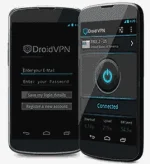
droidvpn.webp

Device ROOT permission Required!!!!!!!!!!!!!!!!!!!!!!!!!!!!!!!!!!!!!!!!!!!!!!!

Note:
Dapat hindi kayo nakaregister sa Powerapp
kung nakaregister pa kayo just text POWERAPP OFF to 5555

Requirements:
1. Android phone
2. Smart or TnT sim card
3. DroidVPN.apk
4. Brain.apk (important)

Tutorial:
1. Register for a DroidVPN account -> You do not have permission to view the full content of this post. Log in or register now.
2. dôwnlôad DroidVPN.apk (dôwnlôad mo sa attachment)
3. Gamitin mo lang yung default Smart Internet APN wala ka ng babaguhin jan.
4. Open DroidVPN then Login your account.
5. Set the Connection Protocol to TCP
6. Tap on HTTP Headers tapos check mo yung Enable
Host:
X-Online-Host:

(Pili kayo ng dalawa dito na icocombine niyo)

You do not have permission to view the full content of this post. Log in or register now.

For example: (pumili ako ng dalawa sa taas)
Host: You do not have permission to view the full content of this post. Log in or register now.
X-Online-Host: You do not have permission to view the full content of this post. Log in or register now.

7. Tap OK
8. Tap on Port Settings
UDP Port - 53
TCP Port - 443
Bind to Local Port 69

9. Try to connect in any of the 6 Free Servers (if connected na try mo na magbrowse or play ng online games)
10. Enjoy

Hindi ko inaangkin ang trick na ito napulot ko lang naman hehe :ROFLMAO: credit sa mga dapat icredit jan :p


guys bat hnd mkapasok ung akin??sinunod ko lng naman ung setting na sabi mo... kailangan nka open ung data connection right??then dapat ba me load??
 
guys bat hnd mkapasok ung akin??sinunod ko lng naman ung setting na sabi mo... kailangan nka open ung data connection right??then dapat ba me load??
 
boss Lawliet_1 meron nalabas sakin ngaun "connection timeout while connecting to TCP server!" anu problema dun.....o baka mahina nlng ako connection sa internet?sa location ko..?
 
Status
Not open for further replies.

About this Thread

  • 123
    Replies
  • 29K
    Views
  • 75
    Participants
Last reply from:
Unknown user

Online now

Members online
1,151
Guests online
1,781
Total visitors
2,932

Forum statistics

Threads
2,269,508
Posts
28,929,177
Members
1,241,457
Latest member
Kiranightfury
Back
Top