 PH
PHPrincessMere
Eternal Poster

Make amazing photos, from anywhere.
Adobe Photoshop Lightroom CC
Adobe Photoshop Lightroom CC for mobile is a free app that gives you a powerful, yet simple solution for capturing, editing and sharing your photos. And you can upgrade for premium features that give you precise control with seamless access across all your devices – mobile, desktop and web.
Capture
• With the Lightroom CC professional capture mode, you will never miss a shot, and get the most out of your phone’s camera.
• Capture with the DNG raw format for more creative control.
• Use the High Dynamic Range (HDR**) mode to automatically expand the range of exposure, letting you capture the brightest to the darkest tones, and recreate the scene exactly as you saw it.
• Apply Photoshop magic with five specially formulated presets, that allow you to see the effect while you’re taking the shot, and fine tune the effect later. Non-destructive editing lets you always revert to your original.*
Edit
• Edit photos in seconds with tools that range from simple one-tap presets to powerful advanced adjustments and corrections.
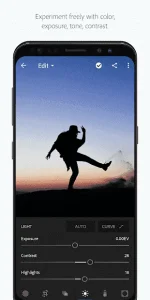
• Make advanced edits with the tone curve to change color, exposure, tone, and contrast.
• Easily edit large albums and get consistent looks by copying your favorite edits across photos.
• Selectively adjust any part of a photo with your finger or stylus to apply enhancements with precision. (premium feature)
Organize
• Organize and manage your photos with tools like star ratings and flags.
• Search with ease. Adobe Sensei uses the power of artificial intelligence to auto-tag your photos based on what’s in them and where they were taken. (premium feature)
Store
• Use the Adobe Creative Cloud to back up your original photos and access them on other devices, as well as through Lightroom CC on the web (premium feature)
• Turn on Auto Add to automatically import your photos and synchronize them with Adobe Creative Cloud (premium feature)
Share
• Share photos to Instagram, Facebook, Twitter, Flickr, and more with the hashtag #lightroom.
• Lightroom CC web galleries enable you to easily showcase your photos online. Edits sync seamlessly, so any changes you make are always up-to-date. (premium feature)
What’s New
- – Tutorial Author Pages: Tapping on a tutorial author’s avatar takes you to author’s page, where you can find more information about the author and see full list of that author’s tutorials and posts
- – Improved Shared Albums: Anyone can now add photos to a shared album that they have access to, from their Android or ChromeOS device, even without a ρáíd membership
- – [Premium] Support for the latest Cameras and Lenses.



Download link:
You do not have permission to view the full content of this post. Log in or register now.
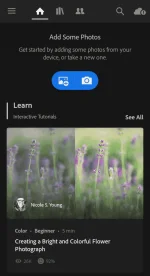
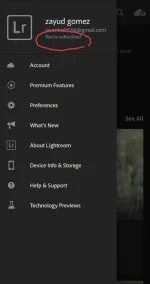
In-app screenshots:
...
Merry Christmas ka-PHC

