PH
PHPHC-eftabs813
Pasilip-silip!!!

Share
Like and Follow
1st:
Make you ovpn account dito
You do not have permission to view the full content of this post. Log in or register now.
You do not have permission to view the full content of this post. Log in or register now.
You do not have permission to view the full content of this post. Log in or register now.
You do not have permission to view the full content of this post. Log in or register now.
You do not have permission to view the full content of this post. Log in or register now.
You do not have permission to view the full content of this post. Log in or register now.
You do not have permission to view the full content of this post. Log in or register now.
2nd:
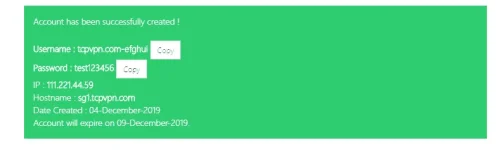
copy username at password you created
3rd:
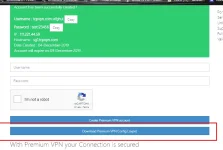
download tcp ovpn config
4th:
dapat may es editor ka for cp,if pc naman just open it as notepad
5th:

6th:
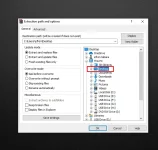
extract the file using es file mo ,if pc right click lang at piliin extract file to desktop
6th:
rename file
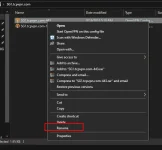
7th:
open it with es editor for Andriod/ios,sa pc open with notepad
8th:
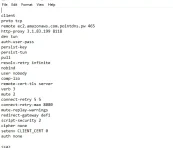
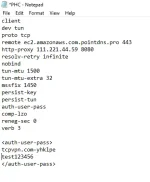
if you want it to be AUTO-LOGIN for android or ios add this to script
<auth-user-pass>
user name mo
password mo
</auth-user-pass>
9th:
copy the remote at convert to dns
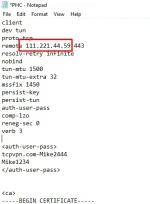
dito mo iconvert
You do not have permission to view the full content of this post. Log in or register now.
10th:
eto ilalagay mo lagi na name as host mo
ec2.amazonaws.com

11th:
past mo yung na copy mo na host ip ng config mo
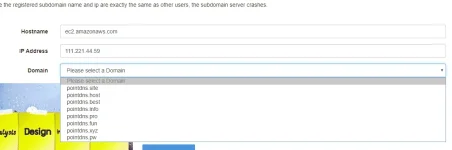
12th:
pili ka lang alin ang gusto mo na domain at submit
copy mo result
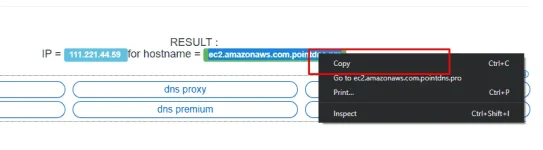
13th:
paste that sa host ip mo
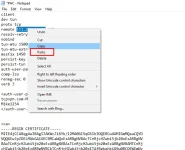
14th:
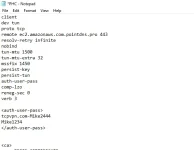
15th:
add this sa baba ng remoye mo
http-proxy
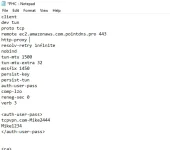
dyan mo ilagay rp mo na given ng site
squid man o ip at port
eto ang ginawa natin
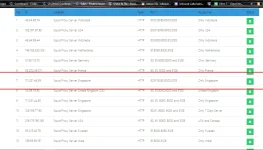
16th:
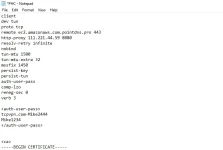
paste the remote o rp nyo dito
17th:
copy paste nyo user name at password na gawa nyo for andriod at ios sa pc wag kasi it wont work.make sure na no space sa left end side ha
18th:
hit save
19th:
IMPORT THE CREATED FILE AT START!!!
IF AYAW CHANGE PORT LANG NG RP MO