 PH
PHPlaying Youtube Videos without any annoying ADS!
For Android Users only (Soon to create thread for IOS Users)
Lahat naman siguro tayo nakukulitan sa mga ADS na lumalabas sa youtube app natin diba? Heto na ang Solution Natin
Instructions kung paano niyo ma achieve ang Youtube na walang ADS:
1. I-install muna ninyo ang MicroG APK: You do not have permission to view the full content of this post. Log in or register now. para maka-log in gamit ang iyong YouTube account.
2. Pumili ng isang YouTube Vanced APK na gusto mong mode o kulay, i-download at e-install.
Dark Mode: You do not have permission to view the full content of this post. Log in or register now.
Black Mode: You do not have permission to view the full content of this post. Log in or register now.
Blue Mode: You do not have permission to view the full content of this post. Log in or register now.
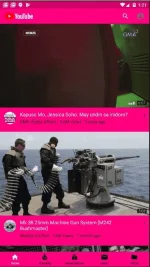
Pink Mode: You do not have permission to view the full content of this post. Log in or register now.
3. Pagkatapos mong ma-install ang required Apps. Try niyo mag-log in gamit ang inyong youtube account.
4. Para Hindi kayo malito kung anong youtube app ang walang ADS. pwede rin kayo mag CLEAR DATA ng old Youtube app niyo sa SETTINGS tapos e hide nalang niyo ito sa inyong menu (kung marunong kayong mag hide ng apps). or e identify niyo nalang yung youtube na walang ADS (Youtube Vanced) through its ICON or ang kulay nga youtube pag Naopen niyo ito. iba po ang Icon ng Original Youtube app at ng Youtube Vanced.



For Android Users only (Soon to create thread for IOS Users)
Lahat naman siguro tayo nakukulitan sa mga ADS na lumalabas sa youtube app natin diba? Heto na ang Solution Natin
Instructions kung paano niyo ma achieve ang Youtube na walang ADS:
1. I-install muna ninyo ang MicroG APK: You do not have permission to view the full content of this post. Log in or register now. para maka-log in gamit ang iyong YouTube account.
2. Pumili ng isang YouTube Vanced APK na gusto mong mode o kulay, i-download at e-install.
Dark Mode: You do not have permission to view the full content of this post. Log in or register now.
Black Mode: You do not have permission to view the full content of this post. Log in or register now.
Blue Mode: You do not have permission to view the full content of this post. Log in or register now.
Pink Mode: You do not have permission to view the full content of this post. Log in or register now.
3. Pagkatapos mong ma-install ang required Apps. Try niyo mag-log in gamit ang inyong youtube account.
4. Para Hindi kayo malito kung anong youtube app ang walang ADS. pwede rin kayo mag CLEAR DATA ng old Youtube app niyo sa SETTINGS tapos e hide nalang niyo ito sa inyong menu (kung marunong kayong mag hide ng apps). or e identify niyo nalang yung youtube na walang ADS (Youtube Vanced) through its ICON or ang kulay nga youtube pag Naopen niyo ito. iba po ang Icon ng Original Youtube app at ng Youtube Vanced.


