PH
PHCLOUDFLARE AUTO-CONFIG(ANDROID/TERMUX)
1. Install termux.
2. Install wireguard android app.
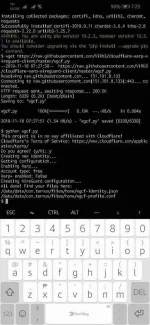
3. Open termux and type the ff:
- termux-setup-storage. Dialog will appear. Click accept.
- pkg upgrade
- pkg install python
- pkg install wireguard-tools
- pkg install git
- pkg install wget
- pip install requests
- wget You do not have permission to view the full content of this post. Log in or register now.
4. Type python wgcf.py. It will ask a question. Just type y.
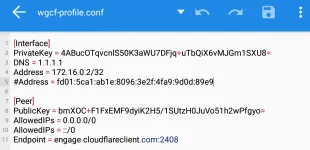
5. Type ls to verify if a config is generated. You must see a wgcf-profile.conf listed.
6. Type cp wgcf-profile.conf storage/shared. This command will copy the config to your internal storage.
7. Import the config to the wireguard android app.
8. Enjoy free internet.
*Credit sa kabila*