PH
PHAlmost Perfect
Forum Guru
so tutal may mga nagbebenta nito at kakalat din naman to ipopost ko na. - working po ito sa playstore ( kaya mag download/update na kayo ng apps)
NOT WORKING AS OF 11/21/19 2:00AM
NO CAPPING - NO BLOCKING - NO EXPIRATION OF CONFIG.
Eto Para sa WireGuard.
Eto Alternate kung ayaw ng WireGuard use TunSafe VPN.
Download nyo yung Config
You do not have permission to view the full content of this post. Log in or register now.
or
You do not have permission to view the full content of this post. Log in or register now.
INFO:
pwede nyo palitan ung DNS open nyo lang ung config then change to 1.1.1.1 or 8.8.8.8 mamili nalang kayo.
Connect-Disconnect-Connect lang pag naka connect kayo tapos no browse.
try to reinstall tap adapter pag ayaw mag connect tapos ireboot nyo muna pc/laptop nyo.
Tap Adapter link - You do not have permission to view the full content of this post. Log in or register now.
Instruction para sa PC/LAPTOP
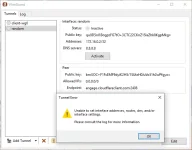
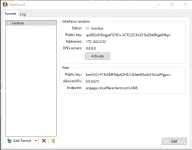
Install nyo ung WireGuard. pag ka install nyo lalabas to

click Add Tunnel. Select nyo ung config

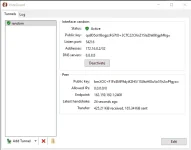
tapos click Activate mag coconnect na yan.

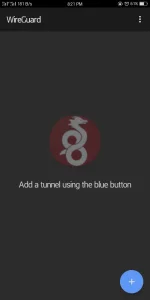
sa Android install nyo muna sa Playstore. pag ka install nyo open then ganito Click +
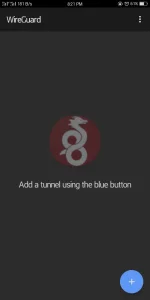
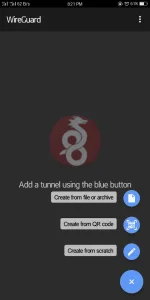
pag ka click nyo ng +. Select Create from file or archive
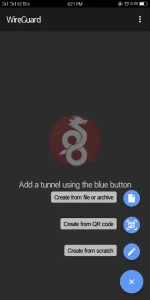
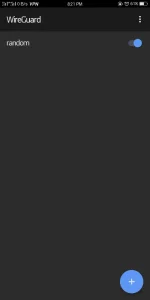
then iselect nyo ung config na download wala na kayong babaguhin iconnect nyo lang.
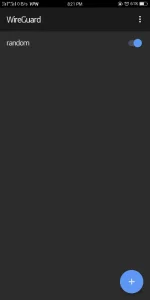
For PC Install lang ung TunSafe.
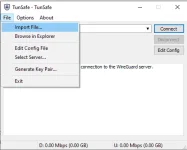
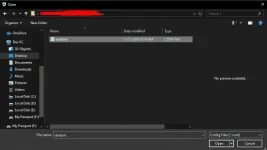
pagka install nyo. Click File -> Import File...
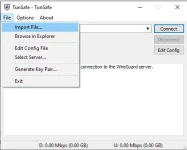
Select nyo ung config

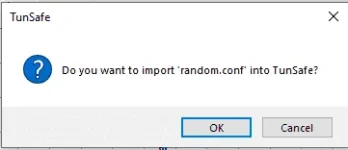
Click OK

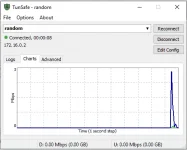
tapos click nyo na yung Connect

For Android
Install nyo muna sa Playstore si TunSafe VPN
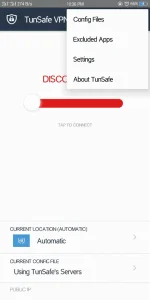
pagka install open nyo ung app.
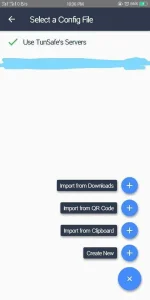
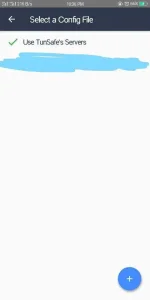
Click Config Files
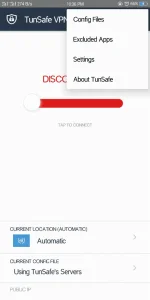
Click +

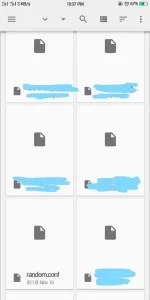
Click Import from Downloads

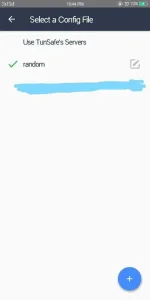
Select the config
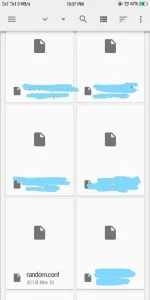

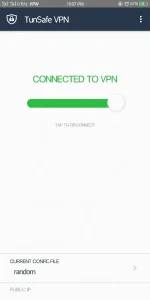
Pag Connected tapos no browse CDC nyo lang ung TunSafeVPN.
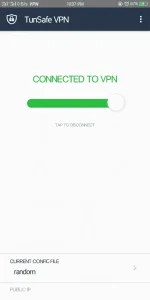
Sa mga IOS Users no need to e-mail just export the random.conf gagana na po siya.
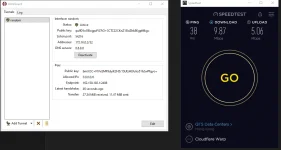
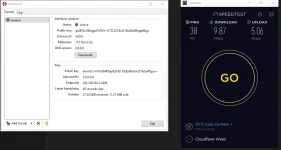
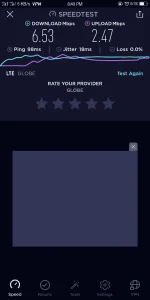
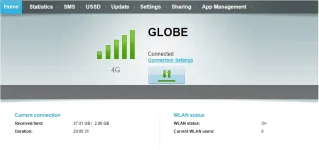
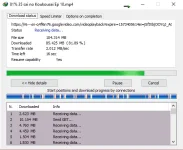
PROOF na WORKING.
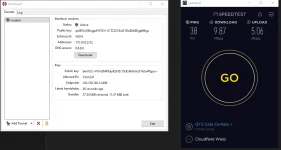
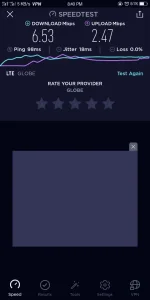


NOT WORKING AS OF 11/21/19 2:00AM
NO CAPPING - NO BLOCKING - NO EXPIRATION OF CONFIG.
Eto Para sa WireGuard.
- PC/LAPTOP 64bit You do not have permission to view the full content of this post. Log in or register now.
- PC/LAPTOP 32bit You do not have permission to view the full content of this post. Log in or register now.
- Android You do not have permission to view the full content of this post. Log in or register now.
- IOS You do not have permission to view the full content of this post. Log in or register now.
Eto Alternate kung ayaw ng WireGuard use TunSafe VPN.
- PC/Laptop - You do not have permission to view the full content of this post. Log in or register now.
- Android - You do not have permission to view the full content of this post. Log in or register now.
- IOS - You do not have permission to view the full content of this post. Log in or register now.
Download nyo yung Config
You do not have permission to view the full content of this post. Log in or register now.
or
You do not have permission to view the full content of this post. Log in or register now.
INFO:
pwede nyo palitan ung DNS open nyo lang ung config then change to 1.1.1.1 or 8.8.8.8 mamili nalang kayo.
Connect-Disconnect-Connect lang pag naka connect kayo tapos no browse.
try to reinstall tap adapter pag ayaw mag connect tapos ireboot nyo muna pc/laptop nyo.
Tap Adapter link - You do not have permission to view the full content of this post. Log in or register now.
Instruction para sa PC/LAPTOP
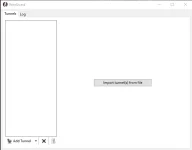
Install nyo ung WireGuard. pag ka install nyo lalabas to
click Add Tunnel. Select nyo ung config
tapos click Activate mag coconnect na yan.
sa Android install nyo muna sa Playstore. pag ka install nyo open then ganito Click +
pag ka click nyo ng +. Select Create from file or archive
then iselect nyo ung config na download wala na kayong babaguhin iconnect nyo lang.
For PC Install lang ung TunSafe.
pagka install nyo. Click File -> Import File...
Select nyo ung config
Click OK
tapos click nyo na yung Connect
For Android
Install nyo muna sa Playstore si TunSafe VPN
pagka install open nyo ung app.
Click Config Files
Click +
Click Import from Downloads
Select the config
Pag Connected tapos no browse CDC nyo lang ung TunSafeVPN.
Sa mga IOS Users no need to e-mail just export the random.conf gagana na po siya.
PROOF na WORKING.
Attachments
-
 3pBvvyW.webp5.7 KB · Views: 21
 -
 DXwrmdW.webp24.5 KB · Views: 27
 -
 ObiGb6Q.webp16.9 KB · Views: 28
 -
 q3q4VYs.webp13.2 KB · Views: 26
 -
 K3KDtAs.webp32.8 KB · Views: 23
 -
 AdCgG02.webp43.7 KB · Views: 32
 -
 m1McjzU.webp25.5 KB · Views: 26
 -
 Q32Xbn8.webp59 KB · Views: 31
 -
 7a1OXVN.webp29.8 KB · Views: 31
 -
 1u6WQlj.webp13.5 KB · Views: 25
 -
 ALwbutT.webp54.1 KB · Views: 26
 -
 mofSAZe.webp17.7 KB · Views: 28
 -
 NVzUCrq.webp20.6 KB · Views: 31
 -
 rkQTlqk.webp14.8 KB · Views: 30
 -
 AEe9spV.webp23.6 KB · Views: 33
 -
 vdxBsKw.webp8.3 KB · Views: 24
 -
 QOiIyoD.webp11.9 KB · Views: 25
 -
 FlAlzqN.webp90.7 KB · Views: 24
 -
 ACkAE5f.webp4.9 KB · Views: 22
 -
 gApjfRQ.webp17.6 KB · Views: 25