 PH
PH
L
Las Filipinas
Procedure:
Installation requirements:
Supported CPU arch's:
WARNING! Don't use any other All-in-One tweakers or things may get much worse! I warned you!
XDA evDB Information
FDE.AI - Ultimate Android Optimizer, Tool/Utility for all devices (see above for details)
Contributors
Feravolts
Mar Yvan
Allen ( p i s c e s )
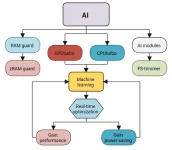
Nextupdate: MAGNETAR (request per devices)
Installation requirements:
Supported CPU arch's:
- ARMv7 (armeabi-v7a) (32bit)
- ARMv8 (arm64-v8a) (64bit)
- x64bit (x86_64)
- 4.1 and higher
WARNING! Don't use any other All-in-One tweakers or things may get much worse! I warned you!
- Make a backup just in case something goes wrong.
- Download latest of FDE and install it via custom recovery OR add zip in modules list if you are using Magisk systemless root.
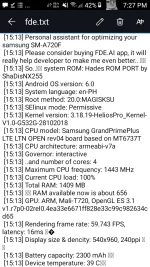
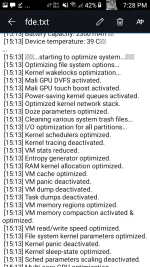
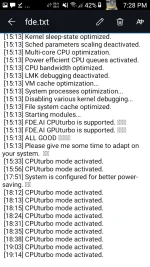
- After OS boot, you will get vibration and a log file /sdcard/Android/fde.txt will be created if FDE worked OK. You do not have permission to view the full content of this post. Log in or register now.
XDA
evDB InformationFDE.AI - Ultimate Android Optimizer, Tool/Utility for all devices (see above for details)
Contributors
Feravolts
Mar Yvan
Allen ( p i s c e s )
Nextupdate: MAGNETAR (request per devices)