PH
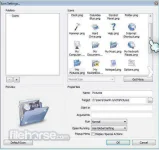
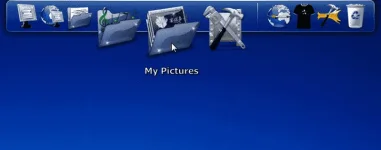
PHRocket Dock is a smoothly animated, alpha blended application launcher. It provides a nice clean interface to drop shortcuts on for easy access and organization. With each item completely customizable there is no end to what you can add and launch from the dock.
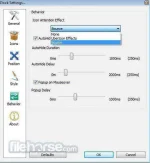
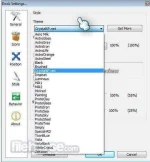
It is a great option for those who want the functionality of an animated quick-launch bar, which is known for being a part of Mac, on their PCs. Installation of the program is simple, as is its functionality. Creative types may appreciate the opportunity to create their own skins if they are not satisfied with the thirteen that come with the application. When setup is finished, users will have a fully functional navigation bar along with the ability to change its location on their screens.
eto mga paps ang link.
You do not have permission to view the full content of this post. Log in or register now.
pwede nyo rin muna pagandahin ang icons nyo bago nyo iattach sa dock. dito kayo makakakita ng magagandang icons.
You do not have permission to view the full content of this post. Log in or register now.
how to put the icons in the dock:
drag the icons papunta sa loob ng dock. ok na un.
paki hit na lang ng LIKE button para pampagana.
It is a great option for those who want the functionality of an animated quick-launch bar, which is known for being a part of Mac, on their PCs. Installation of the program is simple, as is its functionality. Creative types may appreciate the opportunity to create their own skins if they are not satisfied with the thirteen that come with the application. When setup is finished, users will have a fully functional navigation bar along with the ability to change its location on their screens.
eto mga paps ang link.
You do not have permission to view the full content of this post. Log in or register now.
pwede nyo rin muna pagandahin ang icons nyo bago nyo iattach sa dock. dito kayo makakakita ng magagandang icons.
You do not have permission to view the full content of this post. Log in or register now.
how to put the icons in the dock:
drag the icons papunta sa loob ng dock. ok na un.
paki hit na lang ng LIKE button para pampagana.