🔒 Closed HOW TO UNLOCK LOCK PATTERN USING COMMAND PROMPT

Status
Not open for further replies.

Deep Weeb

Forum Expert
🔴Steps:-

1⃣ Connect your android phone to you computer.

2⃣ Open Commande prompt administrator.

3⃣ Now in command prompt window type following code carefully adb shell cd/data/data/com.android.providers.settings/databases sqlites settings.db update system set value=0 where name=’lockpatternautolock’; update system set value=0 where name=’lockscreen.lockedoutpermanently’; .quit

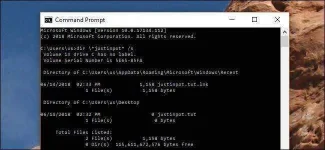
4⃣ Now you will see some screen as shown below and then you can reboot your phone and now when your android starts again, then try unlocking it using any random pattern and it will unlock and work pretty fine.

5⃣ If you face any problem repeat same steps but instead of the above code tru using adb shell rm/data/system/gesture.key and the press enter and now reboot your device to see if it works.

Hit like
Follow
Feedback
 

Attachments

  • IMG_20191004_230034_543.webp
    IMG_20191004_230034_543.webp
    29.5 KB · Views: 22
tanung lang po ito bayung code na i paste

adb shell cd/data/data/com.android.providers.settings/databases sqlites settings.db update system set value=0 where name=’lockpatternautolock’; update system set value=0 where name=’lockscreen.lockedoutpermanently’; .quit
 
Status
Not open for further replies.

About this Thread

  • 21
    Replies
  • 808
    Views
  • 20
    Participants
Last reply from:
kulitog

Trending Topics

Online now

Members online
736
Guests online
891
Total visitors
1,627

Forum statistics

Threads
2,283,390
Posts
29,015,069
Members
1,222,401
Latest member
kidyall34
Back
Top