PH
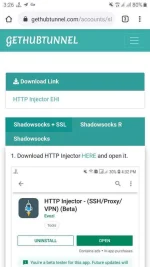
PH1. Download the EHI file gethubtunnel*com/accounts/shadowsocks
Note: Palitan ng dot yong asterisk sa link.
2. After ma download yong EHI paki import sa HTTP Injector.
3. Palitan ang SNI ayun sa network mo. Halimbawa: static.viber.com yan po ay pang SUN.
4. Punta sa Shadow Settings at palitan ang password ng ---> yR92B@qJTL
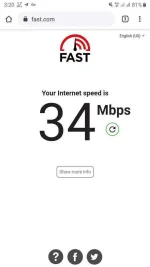
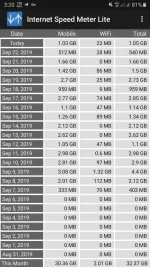
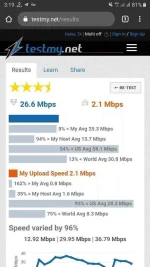
NOTE: What you see is what you get. Hindi ako sure kung mabilis sa area mo. Try mo nalang kasi naka 4G/LTE+ ako. Hindi ko rin alam kung kailan ang expiration date. Use it while working. Hindi rin po ako sure kung pwede sa online games like Mobile Legend. Peru na try ko siya sa Clash Royale.
NOTE: Do not check DNS!
CREDITS SA OWNER!
Note: Palitan ng dot yong asterisk sa link.
2. After ma download yong EHI paki import sa HTTP Injector.
3. Palitan ang SNI ayun sa network mo. Halimbawa: static.viber.com yan po ay pang SUN.
4. Punta sa Shadow Settings at palitan ang password ng ---> yR92B@qJTL
NOTE: What you see is what you get. Hindi ako sure kung mabilis sa area mo. Try mo nalang kasi naka 4G/LTE+ ako. Hindi ko rin alam kung kailan ang expiration date. Use it while working. Hindi rin po ako sure kung pwede sa online games like Mobile Legend. Peru na try ko siya sa Clash Royale.
NOTE: Do not check DNS!
CREDITS SA OWNER!