 PH
PHPHC_Taong-BATO
꧁ ⭐⭐🏆⭐⭐ ꧂ 🅰🅽🅶 🅰🅻🅰🅼🅰🆃 🅽🅶 🆂🅰🅶🅸🅽🅶
BIG Credits to: anacondaq
of You do not have permission to view the full content of this post. Log in or register now. ( rAthena )
Link: You do not have permission to view the full content of this post. Log in or register now.
Source: You do not have permission to view the full content of this post. Log in or register now.
video link tutorial: You do not have permission to view the full content of this post. Log in or register now.
Text Tutorial:
1. extract files inside 01_emulator, 02_client_side, 03_openserver, 07_clean_kRO_client
2. Now what emulator version do you need? Latest (current official servers) (renewal mechanic (suras, dorams, etc classes)) or classic PRE-re (champion, high wizard, high priest)?
3. Now if for example you decide to use PRERE mechanic (where is high wizard class, paladin, lord knights and no 3rd classes) your steps is next:
a.) go to 02_client_side\FOR_PRERE_EMULATOR\
b.) select all files in this folder (FOR_PRERE_EMULATOR) and copy (CTLR+C)
c.) now go to 07_clean_kRO_client/clean_kRO_client/ folder and copy files here (overwrite if windows explorer will ask to do that).
d.) now you need run OpenServer (it's server which store all your players data inside database, required by the emulator) and run it.
e.) Click on Red Flag -> Run server, make sure in your tray you got Green Flag.
f.) Now go to 01_emulator\hercules_PRERE\ and run: run-server.bat
g.) Now go to your 07_clean_kRO_client/clean_kRO_client/ and run: 2018-04-18bRagexeRE_patched.exe
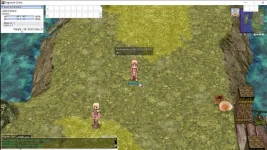
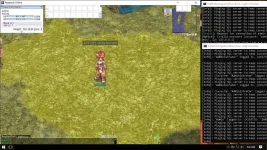
Your emulator, your database, and the client are running.
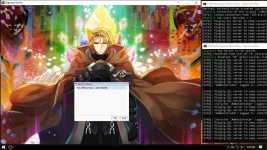
Now you can try to login in the game.
I already made for you 2 accounts (with administrator privileges, and just simple player)
Accounts:
login: admin
pass: 123456
login: player
pass: 123456
If you want to add an extra account (create a new one).
Open game client, in LogOn field, enters your login for your account what you want to register.
Then, after login name add _M (for male account ***) or _F (for female account ***)
And in password field enter your password what you want to have on this account.
Now press enter, and your account will be created.
In other words:
LogOn field:
Login: myuser_M
pass: mypassword
If you will do it. You will create an account `myuser` with password: `mypassword`.
Simple, is not it? You do not need any control panel for registration, it will work like that.
### How to make a GM account or how access database?
====================================================
For that, you need to click on Green Flag -> Advanced -> PHPMYADMIN
In login field of phpmyadmin enter: "root", in password field enter nothing. (no password)
Press enter or login, and you will be in the database.
Databases well structured, so mostly always you do not need to edit too much there.
### How make GM account?
------------------------
You just opened PHPMYADMIN.
Now select your database, and find in this database table called: "login"
Open this table, and find your account name, and you will see column "group_id".
Edit number in this column (group_id) to 99.
0-99 = your GM level. 99 = super admin with all privilegies, 0 = simple player without any privieleges.
-/taongbato
of You do not have permission to view the full content of this post. Log in or register now. ( rAthena )
Link: You do not have permission to view the full content of this post. Log in or register now.
Source: You do not have permission to view the full content of this post. Log in or register now.
video link tutorial: You do not have permission to view the full content of this post. Log in or register now.
Text Tutorial:
1. extract files inside 01_emulator, 02_client_side, 03_openserver, 07_clean_kRO_client
2. Now what emulator version do you need? Latest (current official servers) (renewal mechanic (suras, dorams, etc classes)) or classic PRE-re (champion, high wizard, high priest)?
3. Now if for example you decide to use PRERE mechanic (where is high wizard class, paladin, lord knights and no 3rd classes) your steps is next:
a.) go to 02_client_side\FOR_PRERE_EMULATOR\
b.) select all files in this folder (FOR_PRERE_EMULATOR) and copy (CTLR+C)
c.) now go to 07_clean_kRO_client/clean_kRO_client/ folder and copy files here (overwrite if windows explorer will ask to do that).
d.) now you need run OpenServer (it's server which store all your players data inside database, required by the emulator) and run it.
e.) Click on Red Flag -> Run server, make sure in your tray you got Green Flag.
f.) Now go to 01_emulator\hercules_PRERE\ and run: run-server.bat
g.) Now go to your 07_clean_kRO_client/clean_kRO_client/ and run: 2018-04-18bRagexeRE_patched.exe
Your emulator, your database, and the client are running.
Now you can try to login in the game.
I already made for you 2 accounts (with administrator privileges, and just simple player)
Accounts:
login: admin
pass: 123456
login: player
pass: 123456
If you want to add an extra account (create a new one).
Open game client, in LogOn field, enters your login for your account what you want to register.
Then, after login name add _M (for male account ***) or _F (for female account ***)
And in password field enter your password what you want to have on this account.
Now press enter, and your account will be created.
In other words:
LogOn field:
Login: myuser_M
pass: mypassword
If you will do it. You will create an account `myuser` with password: `mypassword`.
Simple, is not it? You do not need any control panel for registration, it will work like that.
### How to make a GM account or how access database?
====================================================
For that, you need to click on Green Flag -> Advanced -> PHPMYADMIN
In login field of phpmyadmin enter: "root", in password field enter nothing. (no password)
Press enter or login, and you will be in the database.
Databases well structured, so mostly always you do not need to edit too much there.
### How make GM account?
------------------------
You just opened PHPMYADMIN.
Now select your database, and find in this database table called: "login"
Open this table, and find your account name, and you will see column "group_id".
Edit number in this column (group_id) to 99.
0-99 = your GM level. 99 = super admin with all privilegies, 0 = simple player without any privieleges.
-/taongbato

