 PH
PH-
Welcome to PHCorner Forums! Sign up for free to unlock full access and exclusive privileges, including:
- Asking questions about computer and mobile issues
- Discovering internet tips for your mobile network and computer
You are using an out of date browser. It may not display this or other websites correctly.
You should upgrade or use an alternative browser.
You should upgrade or use an alternative browser.
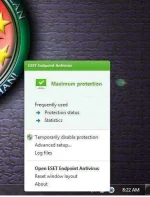
❓ Help HOW TO DISABLE ANTIVIRUS on PC WITHOUT KNOWING OF PASSWORD?
- Status
- Not open for further replies.
PHC-Hershey
Forum Expert
Idisable mo muna ESET. Ganyan talaga eset, madami binablock
yun nga po Maám humihingi ng password.. kahit nga sa start up di maka disableIdisable mo muna ESET. Ganyan talaga eset, madami binablock
PHC-Hershey
Forum Expert
Anong password ang hinihingi ? Sa administrator ?yun nga po Maám humihingi ng password.. kahit nga sa start up di maka disable
opo maám.Anong password ang hinihingi ? Sa administrator ?
yupadmin password po ba yan?
try mo kong ma-access mo yan
Disable password protection on client workstations using ESET Remote Administrator
- Open the ESET Remote Administrator Console (ERAC) by double-clicking the ERAC icon on your Desktop or by clicking Start → All Programs → ESET → ESET Remote Administrator Console → ESET Remote Administrator Console.
- In the ERAC, click Tools → Policy Manager.
- Select your default server policy and click Edit.
- In the Configuration Editor window, expand Windows desktop v5 → Kernel → Settings → Protect setup parameters.
- Click Password to unlock and then click Set Password.
cge po try ko po. salamat ng madamitry mo kong ma-access mo yan
Disable password protection on client workstations using ESET Remote Administrator
- Open the ESET Remote Administrator Console (ERAC) by double-clicking the ERAC icon on your Desktop or by clicking Start → All Programs → ESET → ESET Remote Administrator Console → ESET Remote Administrator Console.
- In the ERAC, click Tools → Policy Manager.
- Select your default server policy and click Edit.
- In the Configuration Editor window, expand Windows desktop v5 → Kernel → Settings → Protect setup parameters.
- Click Password to unlock and then click Set Password.
PHC-Hershey
Forum Expert
May mga way para mabypass yan admin password. Youtube mo lang
opo maam. thank you po. pinag aaralan ko nga po.. hehehe... salamat ng madamiMay mga way para mabypass yan admin password. yôutubê mo lang
- Status
- Not open for further replies.
About this Thread
-
12Replies
-
421Views
-
5Participants
Last reply from:
mojacko2k
mojacko2k
New Topics
-
Henlo mga babycakes ko!!!
- Started by jiwookimna
- Replies: 0
- 💬 Chitchat
-
Pa help po Premiere Pro text animation presets
- Started by TheJuan
- Replies: 0
- 💬 Chitchat
-
Simple lang panahon nuon
- Started by Egayghost
- Replies: 1
- 💬 Chitchat
-
Calling sa attention nung nag benta ng proton vpn na wala na paramdam
- Started by dbels
- Replies: 4
- 💬 Chitchat
-
Scammer Alert! Wag kayo makikipag transact sa account na to
- Started by SupremeAgent
- Replies: 20
- 💬 Chitchat
-
Hi, invitation code pls
- Started by tavderr
- Replies: 0
- 💬 Chitchat
-
GLOBE HG8145V5 EPON TO GPON
- Started by wanted12
- Replies: 0
- 💬 Chitchat
-
Who has MP Megapro Plus MP Melody Volume 81 Iso file?
- Started by Hot_dog0334
- Replies: 0
- 💬 Chitchat
-
Aple banana cake
- Started by fwzvi
- Replies: 0
- 💬 Chitchat
-
Kasama sa bahay na maraming gamit na di kailangan.
- Started by ferdzstrip
- Replies: 4
- 💬 Chitchat
Trending Topics
Online now
- Members online
- 441
- Guests online
- 7,628
- Total visitors
- 8,069