 PH
PHPhc - frenzufficiale
Forum Expert
ang fb? gusto ko tanggalin fb ko messenger lang yun active...
punta ka ng settingsang fb? gusto ko tanggalin fb ko messenger lang yun active...
Settings>General>Manage Account>Deactivate Accountang fb? gusto ko tanggalin fb ko messenger lang yun active...

wag mo ideactivate may ishishare ako.hahaha just kidding
How to deactivate Facebook account
- Click the account menu down arrow at the top right of any Facebook page in your web browser.
- Select 'Settings'
- Choose 'General' in the left column.
- Click 'Manage your account'
- Press 'Deactivate your account', and then follow the steps to confirm your decision.
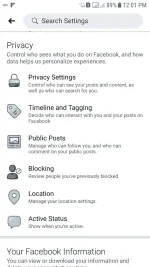
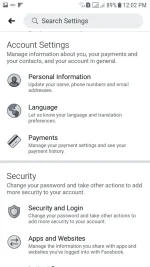
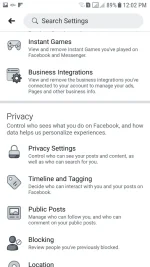
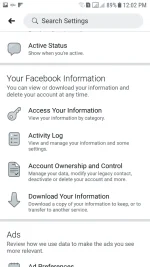
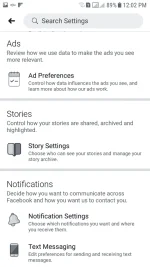
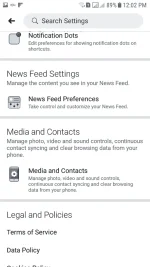
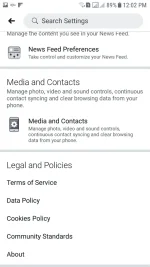
ayan tutukain kanabakit di ko makita sinasabi mu? ito kasi yun lumalabas e, alin iclick ko?
View attachment 679076View attachment 679078View attachment 679079View attachment 679081View attachment 679082View attachment 679083View attachment 679084

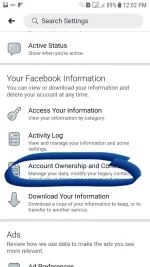
Where do broken hearts go..
Its actually a Whitney Houston hit. Together with Where You Are they are my WH favsi lab that song so mucccch.. ahhahaha!! mariah carey di ba yan?
Its actually a Whitney Houston hit. Together with Where You Are they are my WH favs
sori, ngayon lng nagcing, andyan naman pala c kuya ihalin iclick ko?
sori, ngayon lng nagcing, andyan naman pala c kuya ih
di ko madeactivate e..2 yata yun
disable o deactivate - temporary
delete - permanent
ewan, dko na maalaala, bhala ka na jan

Promise Me by Beverly Craven.. another all time fav haha.ah oo nga ata.. hihihi! di ko na matandaan... at saka promise me.. gustong gusto ko marimig yun at how do i live without you.