PH
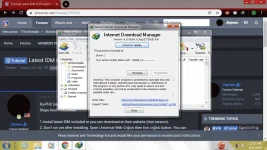
PHKa-PHC latest build ng IDM plus P@tcher.
Steps how? Very easy!
1.Install latest IDM included or you can download at their website (trial version).
2. Don't run yet after installing. Open Universal Web Cr@ck then tick cr@ck button. You can choose whatever registration name you want. You can see a popup when the cr@cking is succesful.
If there is an update whether on Universal Web Cr@ck or the IDM itself you can update it. That's all! Happy Cr@cking! Instructions included.
You do not have permission to view the full content of this post. Log in or register now.
Credits to the respective owner...
Steps how? Very easy!
1.Install latest IDM included or you can download at their website (trial version).
2. Don't run yet after installing. Open Universal Web Cr@ck then tick cr@ck button. You can choose whatever registration name you want. You can see a popup when the cr@cking is succesful.
If there is an update whether on Universal Web Cr@ck or the IDM itself you can update it. That's all! Happy Cr@cking! Instructions included.
You do not have permission to view the full content of this post. Log in or register now.
Credits to the respective owner...