🗡️ Mobile Legends High Frame Rate Problem

Status
Not open for further replies.
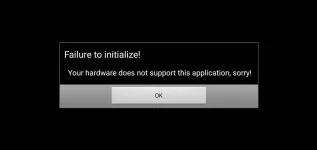
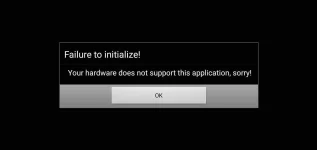
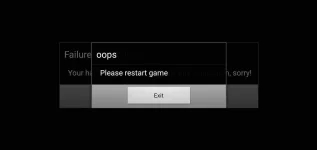
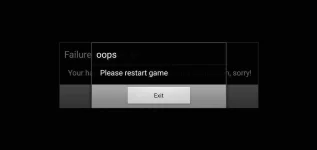
Sino po makatulong sa bagong update ng Mobile Legends (August 27, 2019). Hindi na po gumagana ang FPS Cao. Sino po yubg nka encounter ng ganito. Any recommendations?

I am using Vivo Y91 3/32

Thanks! Good Evening and God Bless po.
 

Attachments

  • Screenshot_20190828_043038.webp
    Screenshot_20190828_043038.webp
    10.3 KB · Views: 93
  • Screenshot_20190828_043041.webp
    Screenshot_20190828_043041.webp
    13.4 KB · Views: 81
  • Screenshot_2019_0828_205444.webp
    Screenshot_2019_0828_205444.webp
    2.5 KB · Views: 78
Pa help din po ganyan din nlbas sakin after ko iupdate ung speedy version nang ml o kung may maisusuggest pa kayo bukod sa fps cao
 
Same problem here. Palapag naman ng link ng working app sa high frame rate. Mi 9t user here. Di pa kasi na.optimize ni moonton yung Snapdragon 730 chip.
 
Re-install the app and use unity client for lower specs na phone recommended to use the 32bit links below.

For 64bit Use this link ; You do not have permission to view the full content of this post. Log in or register now.

For 32bit Use this link ; You do not have permission to view the full content of this post. Log in or register now.

2nd download this link ; You do not have permission to view the full content of this post. Log in or register now.

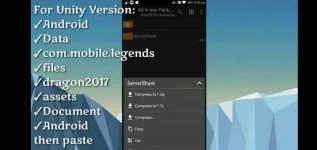
And just follow the steps na makikit niyo sa image below.


Issue resolve na sakin credits dun sa may ari (Y)
 

Attachments

  • Screenshot_20190901_184945.webp
    Screenshot_20190901_184945.webp
    49.7 KB · Views: 47
Pahabol make sure na naka off auto updates niyo sa playstore and same old drill after niyo ma download and update yung unity client iClone niyo lng gamit yung app (yung ROOT) then follow the steps sa image and afterwards your good to go happy gaming.
 
Pahabol make sure na naka off auto updates niyo sa playstore and same old drill after niyo ma download and update yung unity client iClone niyo lng gamit yung app (yung ROOT) then follow the steps sa image and afterwards your good to go happy gaming.
Sure na po?
 
Re-install the app and use unity client for lower specs na phone recommended to use the 32bit links below.

For 64bit Use this link ; You do not have permission to view the full content of this post. Log in or register now.

For 32bit Use this link ; You do not have permission to view the full content of this post. Log in or register now.

2nd download this link ; You do not have permission to view the full content of this post. Log in or register now.

And just follow the steps na makikit niyo sa image below.


Issue resolve na sakin credits dun sa may ari (Y)
Ano po yung i paste?
 
ganyan din sakin, ngayon okay na. sinunod ko lahat ng steps na ginawa ko.
Hindi na nag error? Yung sakin kasi after mga 5-10 na Open bumalik..

P.S. yung ServerShare na Folder ang ilagay sa Destination location sa Android or yung Files na nasa ServerShare ang ilagay po sa Android na Folder?
 
Status
Not open for further replies.

About this Thread

  • 24
    Replies
  • 3K
    Views
  • 9
    Participants
Last reply from:
bamjake

Online now

Members online
332
Guests online
577
Total visitors
909

Forum statistics

Threads
2,274,597
Posts
28,957,097
Members
1,234,335
Latest member
Unplugged18
Back
Top