 PH
PHUpdated November 17, 2014
Blessing Confirm:
Lets Proceed --->
1st* Download: " PsiPhon 67 "
2nd* Install to your Adroid Phone
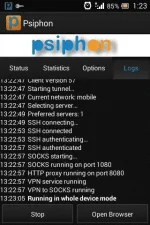
3rd* Run It And Wait Until Connected
Note: Kailangan 3G yong Cellphone mo [ Globe and Tm ] Sim Card
= Kung dual sim ang CellPhone mo.. Dapat naka WCDMA Only ang connection ng SIM mo Kung saan nka select ang Data Connection
* Halimbawa: SIM1 <--- Nakalagay yong Data Connection mo.. Dapat " WCDMA only "
= Kung Single SIM naman Ay naka WCDMA (preferred)/GSM
Enjoy The Free Browsing !!
Credit: Skymatrix
Make Me Proud of You..
Please Comment Kong Working ba..at kung Saan ang lugar mo.
Blessing Confirm:
Lets Proceed --->
1st* Download: " PsiPhon 67 "
2nd* Install to your Adroid Phone
3rd* Run It And Wait Until Connected
Note: Kailangan 3G yong Cellphone mo [ Globe and Tm ] Sim Card
= Kung dual sim ang CellPhone mo.. Dapat naka WCDMA Only ang connection ng SIM mo Kung saan nka select ang Data Connection
* Halimbawa: SIM1 <--- Nakalagay yong Data Connection mo.. Dapat " WCDMA only "
= Kung Single SIM naman Ay naka WCDMA (preferred)/GSM
Enjoy The Free Browsing !!
Credit: Skymatrix
Make Me Proud of You..
Please Comment Kong Working ba..at kung Saan ang lugar mo.
 salamat boss
 thanks
 patry. nadidisconnect ako e
