PH
PHjologzz0606
Forum Expert

 SUN working na ulit kay SoftEther (8/12/2019)
 Ang thread na ito ay simple tut how to create a softether account since working as of now ang SE kay SUN.
Ito po ay ginawa upang magkaroon ng additional option sa mga existing anonymity.
Same sa other tools need to register sa promo ni SUN (CTC / TU) promo as always, ang validity ng connection mo ay nakadepende sa registered promo at sa gagawin nating "FREE" softether account.
TANDAAN:
1. Hindi po sa akin lahat nanggaling ang mga tricks na ito, salamat po sa mga nakadiskubre, alam nyo na kung sino kayo
2. Good for Minimal browsing, streaming & downloading.:thanks:
Mga Kailangan:
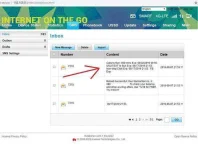
1. SUN simcards (promo registered)
2. SoftEther apps installed on PC, kung wala pa dito kunin mo ==> You do not have permission to view the full content of this post. Log in or register now.
3. Create an account dito ==> You do not have permission to view the full content of this post. Log in or register now.
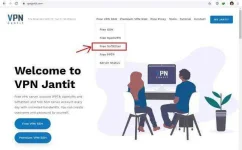
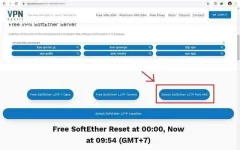
4. Select nyo yung 443 port, then select na kayo ng SERVER na trip nyo. (FREE account is 3-days validity)
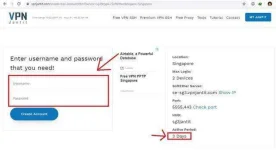
5. DON"T FORGET to save your newly created account.. (take note yung mga arrowed info)
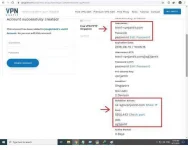
Settings sa SoftEther.
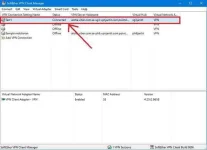
1. Open SoftEther apps, then create a New VPN connection using yung newly created mo na SE account
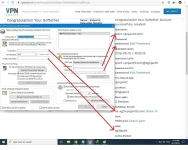
2. Ngayon, para gumana si SE kay SUN, i-edit natin si SoftEther Server (created kay vpnjantit.com)
dagdagan natin ng additional parameter yung server (working host kay SUN)
aloha.viber.com.SE sever.pointdns.pro

3. FINALLY, connect mo na si SE...
OPTIONAL:
Everytime na magko-connect ka, clear first your log....
press windows key plus r or type cmd sa search programs and files then
type del *.log /a /s /f or c:del *.log /a/s/f
or
go to accessories go to ms dos prompt run as admin mag cd\ ka dapat sa c: prompt ka para lahat clear ang log
This command line will help you remove such unnecessary files which will help clear the log files in Windows directory and sure to help you in network activity.
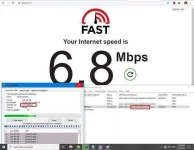
sample ng Speed Test and DL rate sa IDM using my test config (PH server)...
NOTES[/COLOR]
1. Para hindi agad ma-BLOCK, search mo lang yung mga tricks dito sa phcorner
2. Maraming nag-ooffer ng SE account maliban sa vpnjantit.com (e.i. éùtvpn.xyz), search mo lang kay GOOGLE
3. Connection speed may vary depende sa location, weather, device, etc...
4. Lastly, nasa inyo na po kung paano nu mapagana ng stable at mapaganda ang connection.