🔒 Closed (FIXED)Help! Windows 10 v1903 (latest build) RAM problem

Status
Not open for further replies.
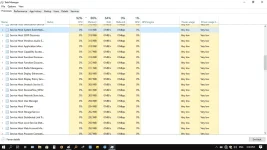
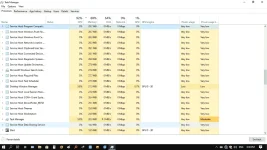
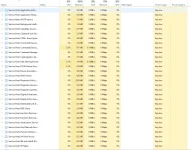
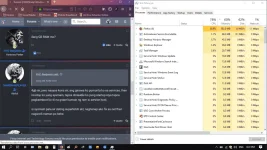
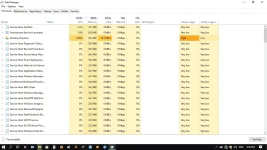
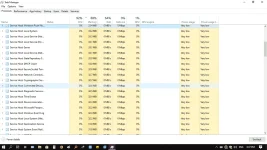
Hello mga masters, may mga alam po ba kayong fixes para sa high ram usage ni windows 10 latest build kahit wala namang third-party apps na nagru-run (foreground and background).

From 37% ram usage at boot, the system services starts to increase their ram usage until it reaches onto 84% after several minutes, which makes the device unusable (laggy, freezes onto black screen). My only option was to reboot again since the running services can't be safely stopped (system).

Should i rollback to my previous build (2017 old build)?
 

Attachments

  • prt1.webp
    prt1.webp
    77.8 KB · Views: 35
  • prt2.webp
    prt2.webp
    80.8 KB · Views: 33
  • prt3.webp
    prt3.webp
    80.8 KB · Views: 32
  • prt4.webp
    prt4.webp
    80.4 KB · Views: 31
bulok talaga ang win10 ang ganyan halos windows update ang nag ko consume ng ram doon sa svchost...kaya check mo na lang tapos disable
 
may problema ang OS mo..
yung ilang svhost diyan dapat hindi lalagpas ng 10MB
except sa..
Diagnostic Policy... dapat mga nasa between 20 - 30MB lang this.
DCOM Server Protocol.. between 5 - 20MB or something..

1564907866979.png
 
ilang GB RAM mo?
4gb sir, pero naayos kona sir, ang ginawa ko pumunta ko sa services, then ini-stop ko yung sysmain, tapos dinisable ko yung startup niya tapos pagkareboot ko di na grabe kumain ng ram si service host.

si sysmain pala sir dating superfetch skl, naghanap ako fix sa net then nagwork naman po hehe.
 
Hello mga masters, may mga alam po ba kayong fixes para sa high ram usage ni windows 10 latest build kahit wala namang third-party apps na nagru-run (foreground and background).

From 37% ram usage at boot, the system services starts to increase their ram usage until it reaches onto 84% after several minutes, which makes the device unusable (laggy, freezes onto black screen). My only option was to reboot again since the running services can't be safely stopped (system).

Should i rollback to my previous build (2017 old build)?
I think unang gawin mo is mag scan ka ng anti-virus, & remove Unwanted program/s on you PC
I will recommend Adwcleaner & Bitdefender Total Security 2020.

secondly, mag update ka ng windows 10 mo into ver. 1903

3rd search mo sa youtube ang pag fixed ng "memory leak"

Opion 1, try mo ito:

click & mo sa search bar sa windows taskbar

Windows Memory diagnostic (right-click & run as administrator)
select mo "Restart now & check Problem"
 
Status
Not open for further replies.

About this Thread

  • 13
    Replies
  • 325
    Views
  • 7
    Participants
Last reply from:
kraze11

Online now

Members online
417
Guests online
902
Total visitors
1,319

Forum statistics

Threads
2,275,080
Posts
28,960,512
Members
1,233,576
Latest member
palautogmongpinoy
Back
Top