PH
marskieboyzz
Honorary Poster
Steps;
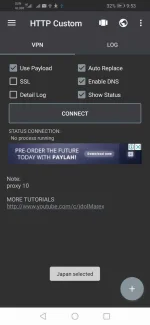
1. open http custom app
2. click three lines ( upper left side )
3. click vpn settings
4.click globe sign ( upper right corner )
5. click refresh button bellow
6.click back
7. click ( + ) below
8. click open config.
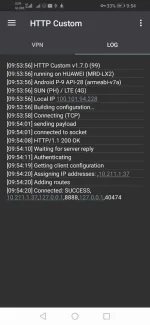
9. pili kayo sa mga config na ginawa ko ( 10 config. para hindi kayo magsiksikan sa iisang proxy )
happy free INTERNET to ALL ====================================
HTTP CUSTOM APK :
You do not have permission to view the full content of this post. Log in or register now.
CONFIG FILES:
You do not have permission to view the full content of this post. Log in or register now.
1. open http custom app
2. click three lines ( upper left side )
3. click vpn settings
4.click globe sign ( upper right corner )
5. click refresh button bellow
6.click back
7. click ( + ) below
8. click open config.
9. pili kayo sa mga config na ginawa ko ( 10 config. para hindi kayo magsiksikan sa iisang proxy )
happy free INTERNET to ALL ====================================
HTTP CUSTOM APK :
You do not have permission to view the full content of this post. Log in or register now.
CONFIG FILES:
You do not have permission to view the full content of this post. Log in or register now.