PH
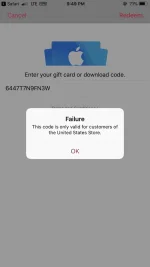
PHVoucher: 6447T7N9FN3W
How to Complete Redemption
1. Visit You do not have permission to view the full content of this post. Log in or register now.
2. On desktop, iTunes will automatically open. On mobile, the Apple Music app will automatically open, or you will be prompted to download the app if you do not already have it.
3. Log in with your Apple ID, or create a new account.
4. Enter your Redemption Code in the "Code" field in iTunes, or in the "Enter your code manually" field in the Apple Music app, and click "Redeem".
5. Complete sign-up steps to begin your subscription.
6. Enjoy!
How to Complete Redemption
1. Visit You do not have permission to view the full content of this post. Log in or register now.
2. On desktop, iTunes will automatically open. On mobile, the Apple Music app will automatically open, or you will be prompted to download the app if you do not already have it.
3. Log in with your Apple ID, or create a new account.
4. Enter your Redemption Code in the "Code" field in iTunes, or in the "Enter your code manually" field in the Apple Music app, and click "Redeem".
5. Complete sign-up steps to begin your subscription.
6. Enjoy!