PH
PH!!!!UPDATED!!!!
Primary things to do
1. You should know how to solder
2. Get a working USB
3. Download the file using the link
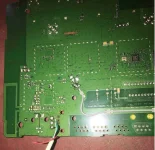
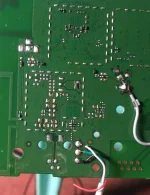
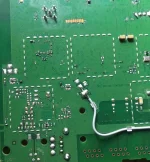
4. Check the USB.jpg and solder the corresponding colors to the solder points
5. Install Necessary drivers and all
Next Step
1. Plug the USB cable with soldered points on the logical board
2. Plug the power cable on the back of your router
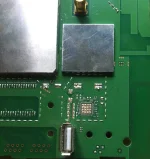
3. Put a small wire (tweezers or any conductive material on 2 test points given on USB.jpg) on Jumper test points.
4. Keep the 2 test points shorted with the said material and plug the adapter to the wall outlet.
5. Assuming that all drivers are installed, open the Balong USB Download mode folder and select Balong USB mode flasher.exe
6. Wait for the device to lit the power light
7. Check if the device has been detected (Device manager)
8. Run Unlock FW.exe and wait for it to finish
9. Plug an ethernet cable and launch Network lock remover + USB Download mode.exe (Follow the prompts).
Note: the Network lock remover + USB Download mode.exe has also the option to enter the USB Download mode of your device
so you wont have to bother on unplugging the device and putting a jumper pin again to enter the USB Download mode.
It means that after running the network unlocker and you followed the prompts correctly, the device is READY TO FLASH THE
"Balong USB mode flasher.exe" w/out performing the JUMPER METHOD.
10. Launch Balong USB mode flasher.exe and once the device entered the USB Mode
11. Launch the Firmware Update_11.326. MOD.exe and wait until it finish.
12. Plug in the ethernet if you have unplugged it previously and try to log in to the GUI
13. Check your "Device information" if you have a valid IMEI. If values are all 15 "0", Open IMEI Changer and run IMEI Changer.exe
14. Follow the prompts and type in your Original IMEI and apply it. Wait for it to reboot and you are done
Download link:
Disclaimer:
I am not held liable for any damaged device during or while performing the steps given in the instructions nor i take credits to the files included in this package.
credits to owner
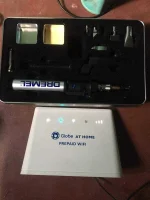
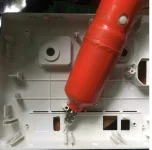
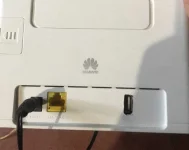
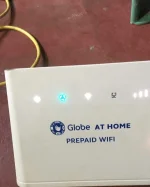
Please see Photos for solder points and finished product
Primary things to do
1. You should know how to solder
2. Get a working USB
3. Download the file using the link
4. Check the USB.jpg and solder the corresponding colors to the solder points
5. Install Necessary drivers and all
Next Step
1. Plug the USB cable with soldered points on the logical board
2. Plug the power cable on the back of your router
3. Put a small wire (tweezers or any conductive material on 2 test points given on USB.jpg) on Jumper test points.
4. Keep the 2 test points shorted with the said material and plug the adapter to the wall outlet.
5. Assuming that all drivers are installed, open the Balong USB Download mode folder and select Balong USB mode flasher.exe
6. Wait for the device to lit the power light
7. Check if the device has been detected (Device manager)
8. Run Unlock FW.exe and wait for it to finish
9. Plug an ethernet cable and launch Network lock remover + USB Download mode.exe (Follow the prompts).
Note: the Network lock remover + USB Download mode.exe has also the option to enter the USB Download mode of your device
so you wont have to bother on unplugging the device and putting a jumper pin again to enter the USB Download mode.
It means that after running the network unlocker and you followed the prompts correctly, the device is READY TO FLASH THE
"Balong USB mode flasher.exe" w/out performing the JUMPER METHOD.
10. Launch Balong USB mode flasher.exe and once the device entered the USB Mode
11. Launch the Firmware Update_11.326. MOD.exe and wait until it finish.
12. Plug in the ethernet if you have unplugged it previously and try to log in to the GUI
13. Check your "Device information" if you have a valid IMEI. If values are all 15 "0", Open IMEI Changer and run IMEI Changer.exe
14. Follow the prompts and type in your Original IMEI and apply it. Wait for it to reboot and you are done
Download link:
Spoiler contents are visible only to Established Members.
Disclaimer:
I am not held liable for any damaged device during or while performing the steps given in the instructions nor i take credits to the files included in this package.
credits to owner
Please see Photos for solder points and finished product