 PH
PHCompressing a file with the built in Windows tool
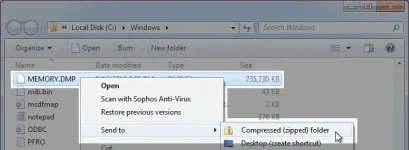
3. Allow the compression process to complete...

The file is now compressed. It has the same file name as the original but with a '.zip' file extension.
Compressing a file with 7-zip
7-zip is a third-party application and not part of the Windows operating system. If not installed you can download/install the latest version from You do not have permission to view the full content of this post. Log in or register now..
3. In the 'Add to Archive' dialog, under 'Compression Level' change the setting to 'Ultra'.
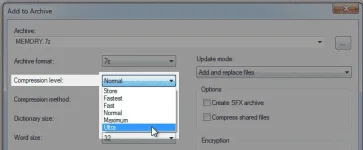
This will configure 7-zip to create the smallest output file possible, however it will increase time required for compression.
3. Allow the compression process to complete...
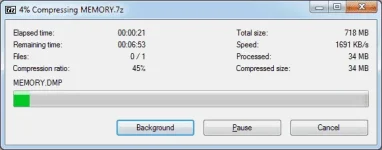
The file is now compressed. It has the same file name as the original but with a '.7z' file extension.
- In Windows Explorer browse to the file you want to compress.
- Right-click on the file and select 'Send to' | Compressed (zipped) folder'...
3. Allow the compression process to complete...
The file is now compressed. It has the same file name as the original but with a '.zip' file extension.
Compressing a file with 7-zip
7-zip is a third-party application and not part of the Windows operating system. If not installed you can download/install the latest version from You do not have permission to view the full content of this post. Log in or register now..
- In Windows Explorer browse to the file you want to compress.
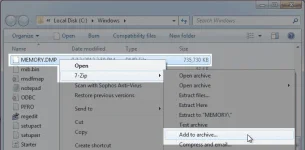
- Right-click on the file and select '7-Zip' | 'Add to archive...'
3. In the 'Add to Archive' dialog, under 'Compression Level' change the setting to 'Ultra'.
This will configure 7-zip to create the smallest output file possible, however it will increase time required for compression.
3. Allow the compression process to complete...
The file is now compressed. It has the same file name as the original but with a '.7z' file extension.
