PH
PH- Download You do not have permission to view the full content of this post. Log in or register now. for windows then install.
- There should be V2RayW icon on your taskbar. Right click (2A) then select
Configure(2B)

- Click the add button (3A), fill in the server information (3B) then save (3C).

- Right click the V2RayW icon again then choose the server you created at step 3 (4A)
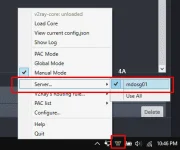
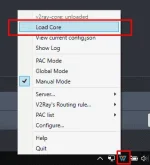
- Then start the service by selecting
Load Core
Now we need to configure our browser to use V2RayW
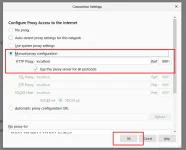
For Firefox, go to
about:preferences then select Network Settings
Follow the settings below then save.
For Chrome
Go to chrome://settings then click
Advanced
Open Proxy Settings

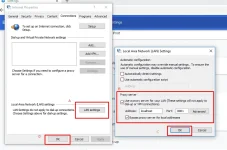
Select LAN Settings (A), follow the settings on (B) then save (C), (D)