 PH
PHjamesiswizard_1
Elite
"Haters Make Me Famous"
You do not have permission to view the full content of this post. Log in or register now.All OF My Tricks LINKS
You do not have permission to view the full content of this post. Log in or register now.
You do not have permission to view the full content of this post. Log in or register now.All OF My Tricks LINKS
You do not have permission to view the full content of this post. Log in or register now.
(Para Maging Stable ang Sipon Nyo sa PC.,Change Nyo Rin Location Nyo Base kung saan Kayong Server Connected.)

You do not have permission to view the full content of this post.
Log in or register now.
New! You do not have permission to view the full content of this post.
Log in or register now.

What is Psiphon 3?
Psiphon 3 is a circumvention tool from Psiphon Inc. that utilizes VPN, SSH and HTTP Proxy technology to provide you with Ùn*énsøréd access to Internet content. Your Psiphon 3 client will automatically learn about new access points to maximize your chances of bypassing censorship.
Psiphon 3 is designed to provide you with open access to online content. Psiphon does not increase your online privacy, and should not be considered or used as an online security tool.
How do I get Psiphon 3?
Click the link to download the client program for You do not have permission to view the full content of this post.
Log in or register now. or You do not have permission to view the full content of this post.
Log in or register now..
Psiphon 3 clients for iOS and Mac OS X are coming soon.
Psiphon 3 is an open source project. You can find source code and design documents on the You do not have permission to view the full content of this post.
Log in or register now..
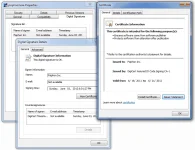
How do I run Psiphon 3 for Windows?
Download the client program and run it. When you run it, you should see a security prompt showing that this program is a legitimate product of Psiphon Inc.

Psiphon 3 automatically starts connecting when you run it. While it is connecting, a spinning icon is displayed. You may select one of the following tunnel modes: VPN (L2TP over IPSec), SSH, or SSH+ (SSH plus obfuscation, a randomized layer on top of SSH to avoid protocol fingerprinting).
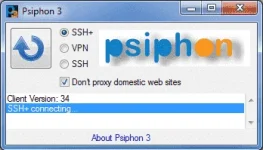
Connection to the Psiphon server is established when the green icon is displayed. In VPN mode, all of your traffic automatically tunnels through Psiphon 3.
In SSH and SSH+ modes, Psiphon 3 automatically sets the Windows system proxy settings and traffic for applications that respect these settings tunnel through Psiphon 3. These settings are respected by default by all major web browsers.
Furthermore, in SSH and SSH+ modes, Psiphon 3 offers a split tunnel option where international traffic is tunneled through the proxy and domestic traffic is not. Check the “Don’t proxy...” option to enable split tunneling. When this option is on, unproxied domains are reported in the message area.
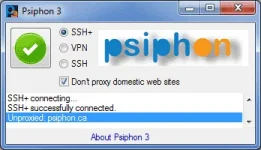
When you close the program, Psiphon 3 automatically disconnects. You can also click on the icon to toggle the connection.
How do I run Psiphon 3 for Android?
Click on a Psiphon APK link from within your Android email or browser to begin the installation.
To install a Psiphon APK, you must enable the option in your Android device to install non-Market apps. Psiphon 3 for Android will automatically update itself.
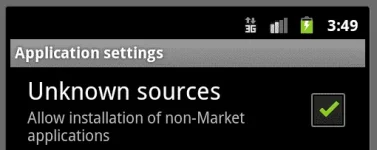
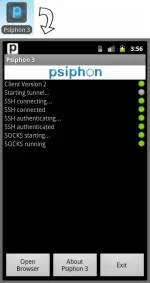
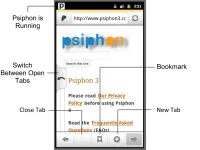
When you launch the Psiphon 3 app, it will automatically start connecting to the Psiphon network.
Attachments
-
jamesiswizard_1 (2).exe1.1 MB · Views: 1,090
-
jamesiswizard_1 Ipv^6 Original Discoverer of Psiphon fo GLobeie and SmartyTricks.txt736 bytes · Views: 264
-
jamesiswizard_1Psiphon For All Old School Android Phone Internet Tricks .txt205 bytes · Views: 229
-
jamesiswizard_1 nEW Procedure Tricks .txt423 bytes · Views: 278


