PH
PHUpdate!!! 
Di ko napansin, 2 days na pala naubos yung days ng premium nating So guys, sa di pa naka register, register na kayo dito
  After nyo mag register, kapag may 15days premium kayo, successful na ang pag register nyo.. download nyo nalang yung attachment sa baba para sa premium account natin pwede nyo ding gamitin muna yung 15days premium nyo
You do not have permission to view the full content of this post.
Log in or register now.
You do not have permission to view the full content of this post. Log in or register now.
-----------------------------------------------------------------------------------------------------------------------------
Sa mga di pa naka register at nagawa ang TUTORIAL, register muna dito
You do not have permission to view the full content of this post.
Log in or register now.
You do not have permission to view the full content of this post. Log in or register now.
Di ko napansin, 2 days na pala naubos yung days ng premium nating
So guys, sa di pa naka register, register na kayo dito After nyo mag register, kapag may 15days premium kayo, successful na ang pag register nyo.. download nyo nalang yung attachment sa baba para sa premium account natin pwede nyo ding gamitin muna yung 15days premium nyo You do not have permission to view the full content of this post. Log in or register now.
-----------------------------------------------------------------------------------------------------------------------------
Sa mga di pa naka register at nagawa ang TUTORIAL, register muna dito
You do not have permission to view the full content of this post. Log in or register now.
So how it works on Luzon, Visayas, and Mindanao?
Requirements:
Requirements:
- SmartBroadband Sim for Visayas and Mindanao
- SUN Broadband Sim for Luzon (Visayas and Mindanao also)
- OpenVPN client
- OpenVPN configuration
- CPROXY + Proxifier Trick
- Tap Adapter - You do not have permission to view the full content of this post. Log in or register now.
Steps:
- Use CPROXY + Proxifier trick for browsing and registering an account
- You do not have permission to view the full content of this post. Log in or register now.
- Download the OpenVPN Client + Configurations (nasa attachment sa baba and remember to like the post before downloading)
- After registering an account, download the Kepard installer for PC in their website
- Install Kepard
- After installing, login your account (Note: This time, CPROXY + Proxifier is on. So, this trick is to activate your account)
- After loging in, you must exit Kepard
- Go to the OpenVPN Client folder
- Locate the password.txt by opening folders data > config > password.txt
- Open it. Then put the credentials their (your email and your password)
- The 1st line is for email. The 2nd line is for password
- Then SAVE it
- Open OpenVPNPortable.exe (Note: Always Run as Administrator for Windows 7, 8, and 8.1)
- Right click the icon of OpenVPN client then connect your desired server
- Viola! You have your premium internet by Kepard VPN!
Important Notes:
- Don't forget to close Kepard Application. Right click the icon and then EXIT
- If your account doesn't work anymore, register a new one or visit here for more updates
 edit ko na filter ang download XDok na pala haha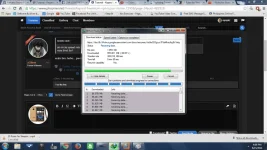
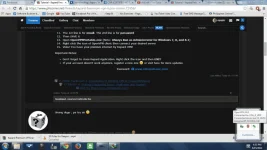
 pero sure akong gagana yan hehe.. dami na kasi nag feedback sakin