PH
PHCreating manual APN steps may differ depending on your mobile brand, but the options and naming are almost the same. Before following the procedure, make sure you know the purpose of using this APN and familiar with mobile network related setup to avoid connectivity issues.
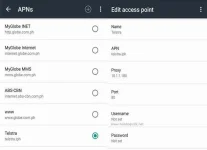
To create new APN:
Android: Go to Settings – More - Mobile Networks - Access Point Names (APN) – Add new / +
iPhone / iOS: Go to Settings - General - Network, under Network, select Cellular Data Network - Add APN
Name
Telstra / Telstra Internet
APN
telstra.iph
APN type
Not set
Proxy
10.1.1.180 or 10.1.1.181
Port
80
Password
Not set
Server
Not set
MMSC
Not set
MMS Proxy
Not set
MMS Port
8080
MCC
515
MNC
02 for Globe/TM - 03 Smart/TNT - 05 Sun
Authentication Type
Not set
APN type
default,supl
APN Protocol
IPv4
APN enable/disable
IPv4
APN roaming Protocol
Check (APN enabled)
Bearer
Unspecified
To create new APN:
Android: Go to Settings – More - Mobile Networks - Access Point Names (APN) – Add new / +
iPhone / iOS: Go to Settings - General - Network, under Network, select Cellular Data Network - Add APN
Name
Telstra / Telstra Internet
APN
telstra.iph
APN type
Not set
Proxy
10.1.1.180 or 10.1.1.181
Port
80
Password
Not set
Server
Not set
MMSC
Not set
MMS Proxy
Not set
MMS Port
8080
MCC
515
MNC
02 for Globe/TM - 03 Smart/TNT - 05 Sun
Authentication Type
Not set
APN type
default,supl
APN Protocol
IPv4
APN enable/disable
IPv4
APN roaming Protocol
Check (APN enabled)
Bearer
Unspecified