PH
PHrory mercury
Honorary Poster
na bagsak kasi phone ku tpos nilagyan ku ng patern nag kataon na yung first 3 dots d na madetect kung ipattern kaya hard reset ko nlng thank you sa makatulong
huawei nova 2 i poAnong model & unit po?
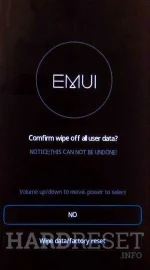
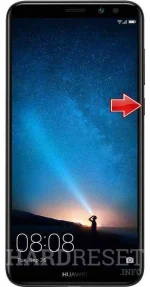
alam ko na yan papz kaso nkalkagay software installed failed tapos nakadisplay REBOOT SYSTEM NOW lang huhuuhHardReset.info:First method:
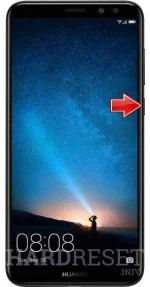
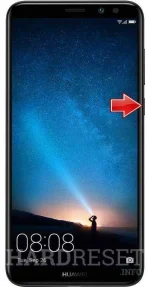
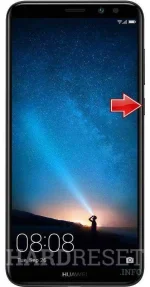
- In the first step turn off the mobile by pressing the Power button for a couple of seconds.
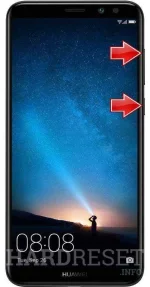
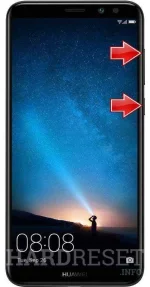
- After that start holding Volume Up + Power key for a short while.
- Release all buttons when the Huawei logo pops up.
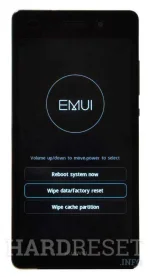
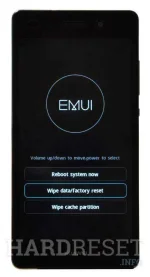
- In this menu select "wipe data/factory reset" by using Volume keys and press the Power button once.
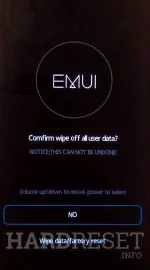
- Then choose "wipe data/factory reset". Use Volume buttons to navigate and the Power key to confirm that.
- At last select "reboot system now" with the Power button.
- Well done!
Reflash na need nyan.alam ko na yan papz kaso nkalkagay software installed failed tapos nakadisplay REBOOT SYSTEM NOW lang huhuuh
panu po yun?you need china box