 PH
PHDragonista0895
Forum Veteran
Ayaw mag start up una mag boboot siya into normal acer logo then tapos lalabas tong error nato how to fix this? 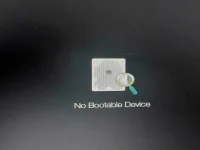
Di ako maka access anything hangang bios langNag run automatic repair kana?
Konsulta na kay google papsDi ako maka access anything hangang bios lang
Na search ko and triny ko every possible fixes nothing happened pero may nakita ako sabi baka corrupted os o yung hard drive I thinks its the hard drive kase nalalaglag to I don't know pano doktorin to kasi laptop hindi system unit, satingin mo magkano paayos niyan?Konsulta na kay google paps
Pag hard drive ang corrupted masakit masyado yan kawawa yung mga files mo. Wala akong idea paps eh kasi ang nasira palang sakin hard drive. Buti nalang may extra ako. Ang cause ng pagkasira nun nag open lang ako 3 nox app tapos naghang. Nag long press ako ng on button sa CPU tapos nasira na hindi na mafix.Na search ko and triny ko every possible fixes nothing happened pero may nakita ako sabi baka corrupted os o yung hard drive I thinks its the hard drive kase nalalaglag to I don't know pano doktorin to kasi laptop hindi system unit, satingin mo magkano paayos niyan?

Di nga maread kaya ipapabukas ko nalang sa eksperto sa mga laptop hangang pc lang kase akoCheck mo muna sa BIOS mo kung nadedetect pa ung hard drive mo, kung nadedetect nya at no bootable drive parin, Fresh install ka nlng ng windows mo, kung wla madetect n Hard Drive, buksan mo laptop mo, higpitan mo ung pagkakakabit nung drive bka loose wiring lng sa loob

