 PH
PHcrisspanget
Eternal Poster
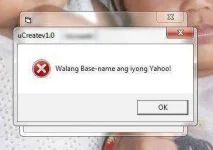
bakit po ganyan ? hehe , naglagay na ako ng base name sa yahoo.dat,
first line : email
2nd line : password
3rd line : base name
 help TS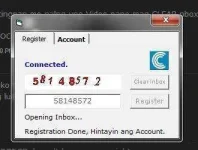
mahigit isang oras na din po ito bossing
help TS opo Basa-Basa din kasi pag may Timelifetime talaga to bossing ? lupit naman ... bali ggawa po ako ng sariling yahoo mail ko ..?
 hehe
heheIt means sa YAHOO mail mo WAlang Basename nakita, open mo daw sa WEbsite ang YAhoo mail mo ting nan mo kung may BasenameView attachment 14582
bakit po ganyan ? hehe , naglagay na ako ng base name sa yahoo.dat,
first line : email
2nd line : password
3rd line : base name
View attachment 14583
mahigit isang oras na din po ito bossing

Pm mo sa aking ung, YAHOO.DAT mo ngaView attachment 14584
meron na po . ayaw pa rin

Ayun SALAMAT Sa inyu Tolmga error na,walang base name ang iyong yahoo at no internet connection,try this trick from boss xsilent
1. open ultrasurf,option,proxy setting,manual proxy setting,proxy host=127.0.0.1,proxy port=3128,ok,ok.
2.close ultasurf, then open again,wait till it says successfully connected to server
3.open internet explorer,click settings,internet option,connection tab,click your connection name (example smart)
then at the lower part click settings
4.put check at proxy server box,address=127.0.0.1 port=3128 or 9666(gamit ko ung 3128 mas mabilis magcreate ng account)
5.put check at the box of (bypass proxy server for local addresses)click ok,ok,exit internet explorer
in my case gamit ko kc ay firefox browser,
6.then open ucreate.
sana gumana sa inyo ganyan kc ginawa ko at working xa sakin at wala ng mga error, feedback po sa mga magtatry
salamat bossing sa recognition hehehemga error na,walang base name ang iyong yahoo at no internet connection,try this trick from boss xsilent
1. open ultrasurf,option,proxy setting,manual proxy setting,proxy host=127.0.0.1,proxy port=3128,ok,ok.
2.close ultasurf, then open again,wait till it says successfully connected to server
3.open internet explorer,click settings,internet option,connection tab,click your connection name (example smart)
then at the lower part click settings
4.put check at proxy server box,address=127.0.0.1 port=3128 or 9666(gamit ko ung 3128 mas mabilis magcreate ng account)
5.put check at the box of (bypass proxy server for local addresses)click ok,ok,exit internet explorer
in my case gamit ko kc ay firefox browser,
6.then open ucreate.
sana gumana sa inyo ganyan kc ginawa ko at working xa sakin at wala ng mga error, feedback po sa mga magtatry
buti may mga gumagamit pa sa mga discoveries and tricks ko 
boss gamit ka ng ibang proxyAyun SALAMAT Sa inyu Tol
Baka sa Connection Ang Probs nila
Ang Gamtit ko kasi Cproxy with Proxifier 127.0.0.1 3128
kasi kapag CPROXY lang, baka madetect tayo.. tsaka 3128 is for HTTP.. may ibang sites na di pwede lalong lalo na ang HTTPS suggest lang naman po hehehe pwede nyong di gawin hehehepunta ka sa SPAM, DELETE ALL MOganun parin boss ITE-[Anonymous] ... Sponsored pa rin... kahit wala na laman ang yahoo ko.. :sour:
WAla naman Problema sa Akin, kahit HTTP or HTTPSsalamat bossing sa recognition hehehe
boss gamit ka ng ibang proxy
basta boss, maganda gamitin si UltraSurfWAla naman Problema sa Akin, kahit HTTP or HTTPS
kung mag psiphon naman ako gamit SOCKS, bumabagal
pero Salamat sa info sir
delete ko na po lahat.. pati po sa settings na disposable domains...punta ka sa SPAM, DELETE ALL MO
windows 7 poFreeSkyHunter ano os mo?
 baka maya maya magiging sponsor nanaman ang mga na create ko.. lols..
cproxy + ultrasurf ? ganun lang ?basta boss, maganda gamitin si UltraSurf