 PH
PH-
Welcome to PHCorner Forums! Sign up for free to unlock full access and exclusive privileges, including:
- Asking questions about computer and mobile issues
- Discovering internet tips for your mobile network and computer
You are using an out of date browser. It may not display this or other websites correctly.
You should upgrade or use an alternative browser.
You should upgrade or use an alternative browser.
🔒 Closed Debian9 panel script
- Thread starter Lakiddo
- Start date
-
- Tags
- ssh & ssl accounts
- Status
- Not open for further replies.
homer_simpson
Eternal Poster
Anong ssh script?
ssh <ip-address>
is all you need. Can't be easier than that.
ssh <ip-address>
is all you need. Can't be easier than that.
homer_simpson
Eternal Poster
What do you mean panel? cPanel, VirtualMin, Plesk or any other GUI management interface?
What do you mean panel? cPanel, VirtualMin, Plesk or any other GUI management interface?
Thanks for asking those. Being new to this forum (but not new to software development) makes me wonder what people mean when they want an ssh script or panel

homer_simpson
Eternal Poster
Indeed. Every time I see posts asking for this and that autoscripts, napapakamot nalang ako ng ulo. Tulad ng isang na-encounter ko na "autoscript" para sa nginx, VPN, proxy etc. People are wondering why that script is no longer working. Obviously, none of them have any idea what that script does, or if it pulls some rootkits down into their machines  .
.
Tulad nito: wget You do not have permission to view the full content of this post. Log in or register now.
Nung binasa ko yung script, eto yung isang flawed logic. Sa isang line, use wget to find out your external IP. Tapos sa succeeding line, install daw wget at curl. WTF, eh ginamit na nga sa unang line. Dapat prior to that may dependency check na for wget at curl, kung iyun talaga intention.
user@debian:~/garbage$ grep wget VPScrptZ.sh
MYIP=$(wget -qO- ipv4.icanhazip.com);
wget -q -O daftarip You do not have permission to view the full content of this post. Log in or register now.
MYIP=$(wget -qO- ipv4.icanhazip.com);
# install wget and curl
apt-get update;apt-get -y install wget curl;
Tapos check yung "registered IP' by downloading some list at some random site. If your IP is not found, abort.
# check registered ip
wget -q -O daftarip You do not have permission to view the full content of this post. Log in or register now.
if ! grep -w -q $MYIP daftarip; then
echo "Sorry, only registered IPs can use this script!"
if [[ $vps = "vps" ]]; then
echo "Powered by Clrkz"
else
echo "Powered by Clrkz"
fi
rm -f /root/daftarip
exit
fi
'
.Tulad nito: wget You do not have permission to view the full content of this post. Log in or register now.
Nung binasa ko yung script, eto yung isang flawed logic. Sa isang line, use wget to find out your external IP. Tapos sa succeeding line, install daw wget at curl. WTF, eh ginamit na nga sa unang line. Dapat prior to that may dependency check na for wget at curl, kung iyun talaga intention.
user@debian:~/garbage$ grep wget VPScrptZ.sh
MYIP=$(wget -qO- ipv4.icanhazip.com);
wget -q -O daftarip You do not have permission to view the full content of this post. Log in or register now.
MYIP=$(wget -qO- ipv4.icanhazip.com);
# install wget and curl
apt-get update;apt-get -y install wget curl;
Tapos check yung "registered IP' by downloading some list at some random site. If your IP is not found, abort.
# check registered ip
wget -q -O daftarip You do not have permission to view the full content of this post. Log in or register now.
if ! grep -w -q $MYIP daftarip; then
echo "Sorry, only registered IPs can use this script!"
if [[ $vps = "vps" ]]; then
echo "Powered by Clrkz"
else
echo "Powered by Clrkz"
fi
rm -f /root/daftarip
exit
fi
'
homer_simpson
Eternal Poster
I don't think so. And I highly discourage to use any of such "autoscripts". If you don't know how to read shell scripts or any other scripts, they can cause potential damages to your machines.
What I encourage is to learn the fundamentals of Linux instead. No question, this is the harder route. But that's the proper way to approach it. Rather than to use specialized distro such as Kali and try to do fancy stuff right away.
What I encourage is to learn the fundamentals of Linux instead. No question, this is the harder route. But that's the proper way to approach it. Rather than to use specialized distro such as Kali and try to do fancy stuff right away.
- learn the filesystem hierarchy (/etc/, /root, /home/, /var/ etc)
- bash shell
- basic commands such as cd, ls, echo, etc.
- text editor (nano is a good choice to begin with)
- package managements such as apt-get, yum etc
homer_simpson
Eternal Poster
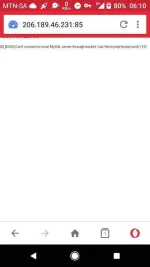
No sir, no.
Nontikweed
Forum Master
For debian 7Indeed. Every time I see posts asking for this and that autoscripts, napapakamot nalang ako ng ulo. Tulad ng isang na-encounter ko na "autoscript" para sa nginx, VPN, proxy etc. People are wondering why that script is no longer working. Obviously, none of them have any idea what that script does, or if it pulls some rootkits down into their machines
Tulad nito: wget You do not have permission to view the full content of this post. Log in or register now.
Nung binasa ko yung script, eto yung isang flawed logic. Sa isang line, use wget to find out your external IP. Tapos sa succeeding line, install daw wget at curl. WTF, eh ginamit na nga sa unang line. Dapat prior to that may dependency check na for wget at curl, kung iyun talaga intention.
user@debian:~/garbage$ grep wget VPScrptZ.sh
MYIP=$(wget -qO- ipv4.icanhazip.com);
wget -q -O daftarip You do not have permission to view the full content of this post. Log in or register now.
MYIP=$(wget -qO- ipv4.icanhazip.com);
# install wget and curl
apt-get update;apt-get -y install wget curl;
Tapos check yung "registered IP' by downloading some list at some random site. If your IP is not found, abort.
# check registered ip
wget -q -O daftarip You do not have permission to view the full content of this post. Log in or register now.
if ! grep -w -q $MYIP daftarip; then
echo "Sorry, only registered IPs can use this script!"
if [[ $vps = "vps" ]]; then
echo "Powered by Clrkz"
else
echo "Powered by Clrkz"
fi
rm -f /root/daftarip
exit
fi
'
- Status
- Not open for further replies.
Similar threads
-
-
👨🏫 Tutorial Automate LinkedIn with Google Apps Script and ᑕᕼᗩTGᑭT
- Started by WSODownload
- Replies: 0
-
XJ VPN | FAST SECURE PRIVATE | VPN TUNNELING APP | POWERED BY XJ PANEL
- Started by XAMJYSS143
- Replies: 9
-
📦 Android App FREE VPN PANEL | XJ PANEL | SSH | OVPN | SSL | WS | DNSTT | UDP | HYSTERIA | XRAY | V2RAY
- Started by XAMJYSS143
- Replies: 61
About this Thread
-
12Replies
-
2KViews
-
4Participants
Last reply from:
Nontikweed
Nontikweed
New Topics
-
Every serious vibe coder should have bookmarked this
- Started by KumaKuma
- Replies: 0
- 💻 Coding & Programming
-
DDOS ATTACK (EDUCATION PURPOSE ONLY)
- Started by seanwhun
- Replies: 8
- 💻 Coding & Programming
-
Sino kaya i mod to SMAART RTA apps
- Started by MR - Z
- Replies: 0
- 💻 Coding & Programming
-
Wifi Jammer RTL8720DN
- Started by akosirenkz
- Replies: 2
- 💻 Coding & Programming
-
How to automatically synchronize your files to google drive
- Started by No liabilities
- Replies: 1
- 💻 Coding & Programming
-
****** SCRIPT SOURCE CODE
- Started by anonymoustechsell
- Replies: 1
- 💻 Coding & Programming
-
Smart Barangay E-Governance System
- Started by If Else
- Replies: 5
- 💻 Coding & Programming
-
Microsoft Activation Scripts (MAS) | From GitHub
- Started by J u g g y
- Replies: 3
- 💻 Coding & Programming
-
LF gpt plus or business for vps with dedi ipv4
- Started by ambitiousnoob
- Replies: 7
- 💻 Coding & Programming
-
[SHARE] Manny Apps My Official Website for Apps & Systems
- Started by bIOSman26
- Replies: 1
- 💻 Coding & Programming
Trending Topics
Online now
- Members online
- 1,370
- Guests online
- 7,462
- Total visitors
- 8,832