 PH
PH
A
AlyasPogi

 V2
V2- No DDOS
- No häçking
- No Torrent
- No Spam, etc.
- Dont Share/Distribute/Use same account except the lifetime account(slow ssh)
- Dont Repost or Reupload Account (We will delete account)
- Use it wisely, So we can continue provide premium ssh account and proxy.
(FastSSH.com and SecuredSSH.com Team)
Create Account Here!!!
You do not have permission to view the full content of this post. Log in or register now.
Bitvise SSH Client (Tunnelier)
You do not have permission to view the full content of this post. Log in or register now. OR You do not have permission to view the full content of this post. Log in or register now.
SSHTunnelManager(Multiple SSH Tunneler
 )
)You do not have permission to view the full content of this post. Log in or register now.
Open Ports
OpenSSH Port : 22, 143
DropBear Port : 443, 109
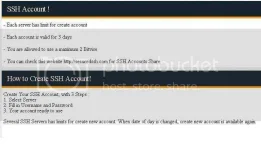
Choose Your Ssh Location and Protocol
Better use the tcp/udp 999999
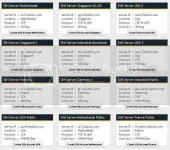
Wait At least 7-10 sec before your account Pop up....
Remember this is valid for 3 days...
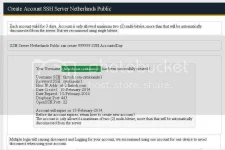
Bitvise SSH Tunneler Setting
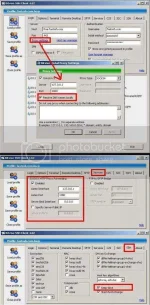
SSHTunnelManager(Multiple SSH Tunneler
 )
)1. Create New storage.
2. Choose on where you wanted to put your Profile on your unit....
3. Much better put it on the same folder(sshtunnel Manager folder)
4. Put password...(To protect your profile)
5. Remember password so theres no need to reenter it again on next use
6. Proceed to Screenshot...
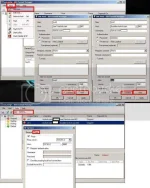
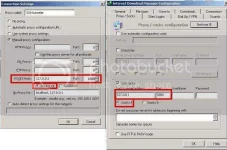
Browser and IDM Setting
SSH Premium Lifetime Account
Slow Speed/ Better make your own account
Username : fastssh.com
Password : fastssh.com
OpenSSH Port : 22, 143
DropBear Port : 443, 109
All
Marami na po tayong mga alternatibong solusyon para kay cproxy....
Kayo na pong bahalang magcombine para mapabilis ang inyong browsing/downloiding...
Possible combination
2 cproxy + 2 bitvise + 1 ssh manager(multiple ssh) + tor

2 cproxy + 1 bitvise + tor
2 cproxy + 1 ssh manager(multiple ssh) + tor
1 cproxy + tor
1 cproxy + 1 ssh manager(multiple ssh)
1 cproxy + 1 bitvise
Ang mahalaga po ay iba iba mga listen port nila.......So there will be no conflict..(Port is already in use)
At kung gagamit po tayo ng proxifier make sure that u know all the proxy and port na gagamitin nyu sa mga application nyu...
There will be no further update for the 2 cproxy and ssh tunneller....

Spectator mode.... Muna po ako....
feed back guys
hit like and thanks you
Credit to this Site/Owner
You do not have permission to view the full content of this post. Log in or register now.
.FastSSH.com and SecuredSSH.com Team
