 PH
PH1. Download Connectify Hotspot here You do not have permission to view the full content of this post.
Log in or register now.
2. Run Connectify Setup
3. After set up Open connectify Paste the Key
4. Close Connectify And Connect Your Smart Dashboard and Open Cproxy
5. Open Connectify Make Ur Own Wifi name Blah blah blah and password syempre
6. Under Sharing mode Choose "Wi-fi access point, encypted (WPA2)"
7. Internet To Share "SmartBro" ( kung gamit niu Connector ni Sir James Share Via Wifi )
Sana Working din sainyo Im using windows 8 patry nalang sa Win7 And Xp 
Fb nalang mga Sir
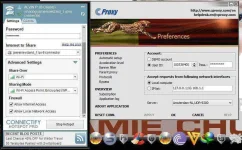
Eto nga pala SS ko Connector ni Si James gamit ko
By:noobznota
1. kunin nyu yung Ip ng Wifi nyu para malaman yung ip ng wifi niyo, una Open connectify then start
pag nkastart na Go to -control panel->network and internet->then sa network connection
on my case local area connection *12 ("hotspot name na nilagay ko" wi-fi XX) madali nyo lng makita dun then right click ->properties
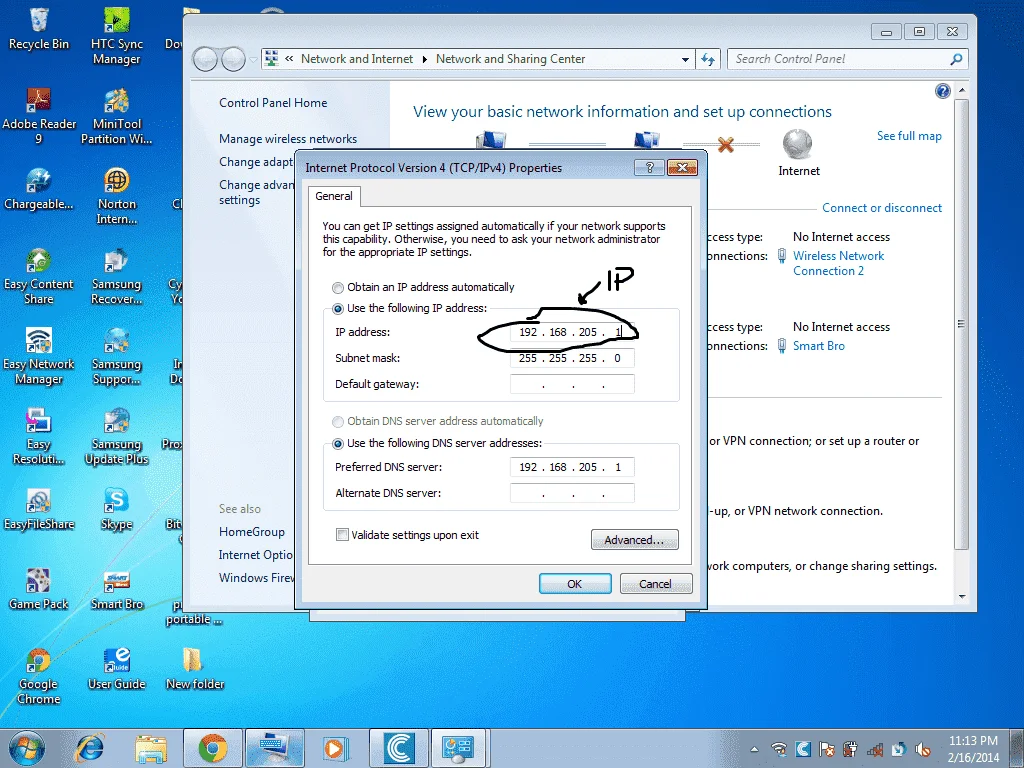
then go to Internet Protocol VErsion 4 (tcp/IPv4)-> properties (u can see now your IP address (ex. 192.168.205.1)
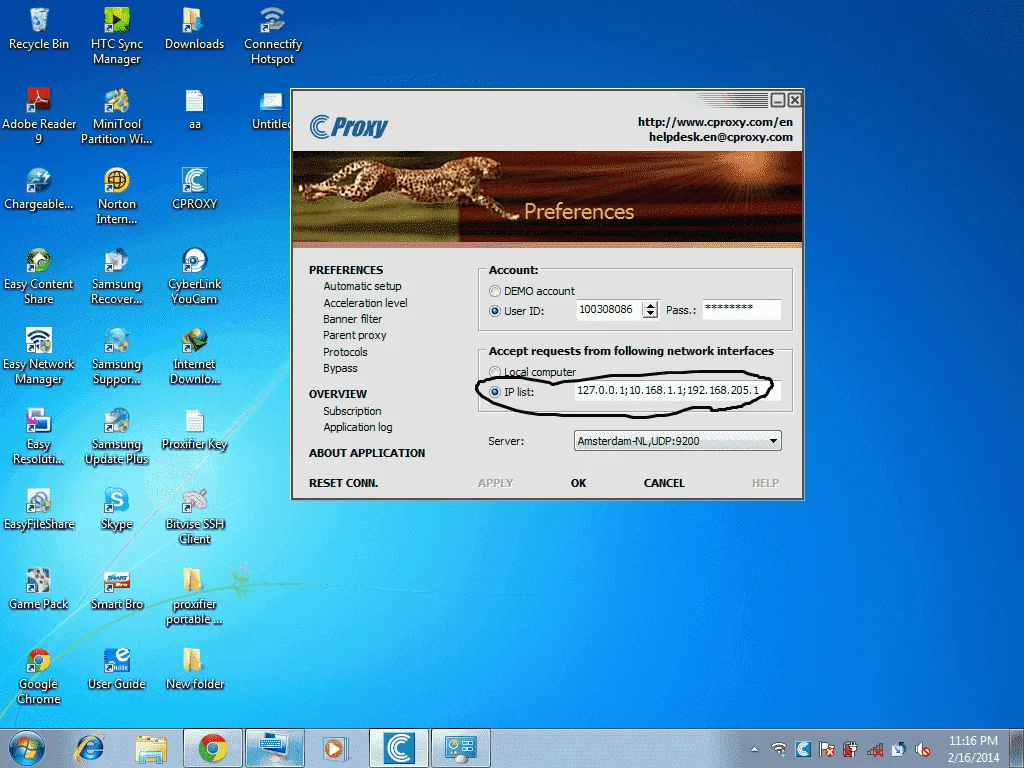
3. then sa CP use auto proxy then lagay ung IP ng wifi nyo and port 3128 connect to wifi then connect autoproxy then browse.
2. Run Connectify Setup
3. After set up Open connectify Paste the Key
4. Close Connectify And Connect Your Smart Dashboard and Open Cproxy
5. Open Connectify Make Ur Own Wifi name Blah blah blah and password syempre
6. Under Sharing mode Choose "Wi-fi access point, encypted (WPA2)"
7. Internet To Share "SmartBro" ( kung gamit niu Connector ni Sir James Share Via Wifi )
Sana Working din sainyo Im using windows 8 patry nalang sa Win7 And Xp
Fb nalang mga Sir
Eto nga pala SS ko Connector ni Si James gamit ko
By:noobznota
1. kunin nyu yung Ip ng Wifi nyu para malaman yung ip ng wifi niyo, una Open connectify then start
pag nkastart na Go to -control panel->network and internet->then sa network connection
on my case local area connection *12 ("hotspot name na nilagay ko" wi-fi XX) madali nyo lng makita dun then right click ->properties
then go to Internet Protocol VErsion 4 (tcp/IPv4)-> properties (u can see now your IP address (ex. 192.168.205.1)
3. then sa CP use auto proxy then lagay ung IP ng wifi nyo and port 3128 connect to wifi then connect autoproxy then browse.

 ok lang yan bro
  try mo lang po