❓ Help About sa Cproxy share and make it wifi hotspot

Status
Not open for further replies.

DOSzigunDOS

Enthusiast
Kung sino po ang nakapag paganda ng cproxy to make it wifi hotspot. pa share naman po ng tutorial o kaya mga SS.

Im using laptop po.

Dami po kasi nag tatanung isa na po ako doon.

Big thanks po sa makatulong sa pangangailangan namin.
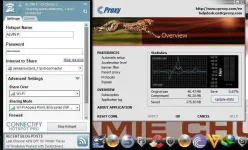
 
Nag Try kanaba ng Connectify ?
Capture.webp
 
wla pa pong nkagawa yan kahit ako
sinubukan ko na wla pa rin yan matagal na yan issue ang wifi connectivity
hindi pa rin nareresolva
 
Or this:

Dapat ganito ang tamang pagkaka sunod ng steps :)

  1. Open command prompt or cmd with administrative purpose run as admin..
  2. Turn your wifi on and connect (dapat naka on muna wifi kasi di gagana step 5 kung wala to :) )
  3. Type the following commands
  4. netsh wlan set hostednetwork mode=allow ssid=phcorner.org key=PHCitizens
  5. netsh wlan start hostednetwork
  6. note:you can modify the name(wifi name) and key(password)
  7. Run the run program and type ncpa.cpl
  8. click the internet you normally use and click properties.
  9. set to share and choose the wireless network2 the name is under the connection icon
  10. Enjoy and d0wnl0@d files and Roms.
 
windows 7 po OS Pr0. 64bit , Eset nod 32 v7. ang anti-virus ko 
ang tanung ko nalang po ngayun. eh. paano nagkaroon ng adaptor ng "jamesiswizard" ? iba pa yung adaptor ng smart.
Pag naka Enabled na ung Ipv^6 mu pwede mu na gamitin connector ni boss James kaht di muna iconnect ung Smart un na magi2ng connection mu but still nakasaksak pa din si Smart :D e2 thread ni boss James Tutorial - jamesiswizard_1 IPv^6 Tutorial & Tricks Updates ..
 
HKEY_L_M > SYSTEM > CURRENT CONTROL SET > SERVICES> TCPIP6 find inside (Default) then put 1 in the data >expand again > PARAMETERS find inside (Default) then put 1 in the data (DONE) ...............


di ko masundan tut kung saan yung PARAMETERS??? yung TCPIP6 nakita ko. help naman hahahahah.

^^:D
newbie pulubikita ko na pala .huhuhuhuhuhu
 
HKEY_L_M > SYSTEM > CURRENT CONTROL SET > SERVICES> TCPIP6 find inside (Default) then put 1 in the data >expand again > PARAMETERS find inside (Default) then put 1 in the data (DONE) ...............


di ko masundan tut kung saan yung PARAMETERS??? yung TCPIP6 nakita ko. help naman hahahahah.

^^:D
newbie pulubikita ko na pala .huhuhuhuhuhu
Kaya mu yan Sir basa basa lang (y)
 
ayaw parin e. kahit na DL ko na yung SOnic proxy . di talga gumagana ang connectify sa cproxy.no network access parin yung connectify ko huhuhuhuhuuhuhuhuhu.:depressed:
 
Status
Not open for further replies.

About this Thread

  • 17
    Replies
  • 574
    Views
  • 5
    Participants
Last reply from:
Unknown user

Trending Topics

Online now

Members online
589
Guests online
1,318
Total visitors
1,907

Forum statistics

Threads
2,272,644
Posts
28,944,318
Members
1,237,308
Latest member
helloi
Back
Top