 PH
PH-
Welcome to PHCorner Forums! Sign up for free to unlock full access and exclusive privileges, including:
- Asking questions about computer and mobile issues
- Discovering internet tips for your mobile network and computer
You are using an out of date browser. It may not display this or other websites correctly.
You should upgrade or use an alternative browser.
You should upgrade or use an alternative browser.
🔒 Closed Jamesiswizard_1 cproxy tutorial & bypassed tricks for vpn not working areas
- Thread starter jamesiswizard_1
- Start date
-
- Tags
- acer android android apps broadband bug captiva cd-r king cproxy custom rom facebook fb free ayosdito trick free internet free social freenet galaxy s3 mini globe globe boradband globe wimax internet ip ipv6 ipv^6 jamesiswizard_1 load lte mangyan pasikat setting smart smart and talk and text smart broadband sun sun broadband tm tnt trick tricks tutorial wifi xsilent
- Status
- Not open for further replies.
jeanpasaway
Enthusiast
latest po bossing
jeanpasaway
Enthusiast
pnta po kau page 1.dl nyu ung attachment ni sir xsilent
dapat latest bro at yung iniinstallMga Tol bakit ayaw gumana sa kin ng psipon..
win8 User
Ano ba Version ng proxifier nyo??
 bawal yung portable, maraming conflict dun e
tama ka bosslatest po bossing
nadzbelarmino
Fanatic
haha ito mas malupet..

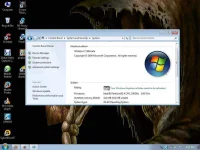
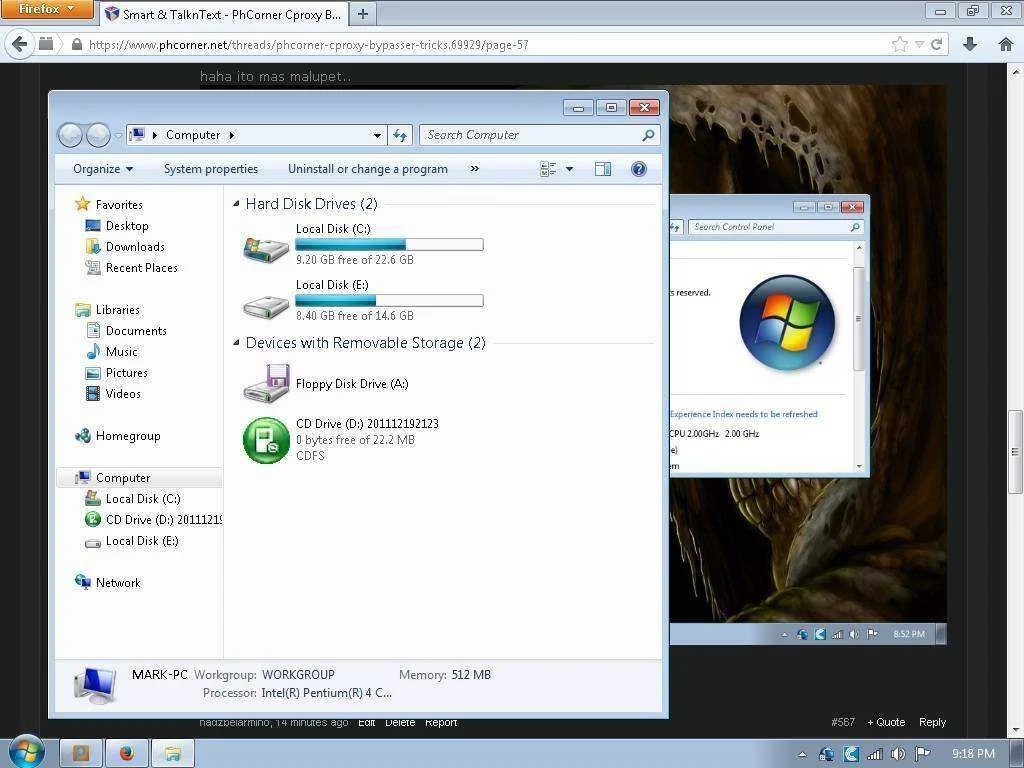
with 32mb video card!
 bawal ata yung win7 sa ganyang specs.. dapat 1gb yung ram sa pagkaka alam ko XD wahaha imba
nadzbelarmino
Fanatic
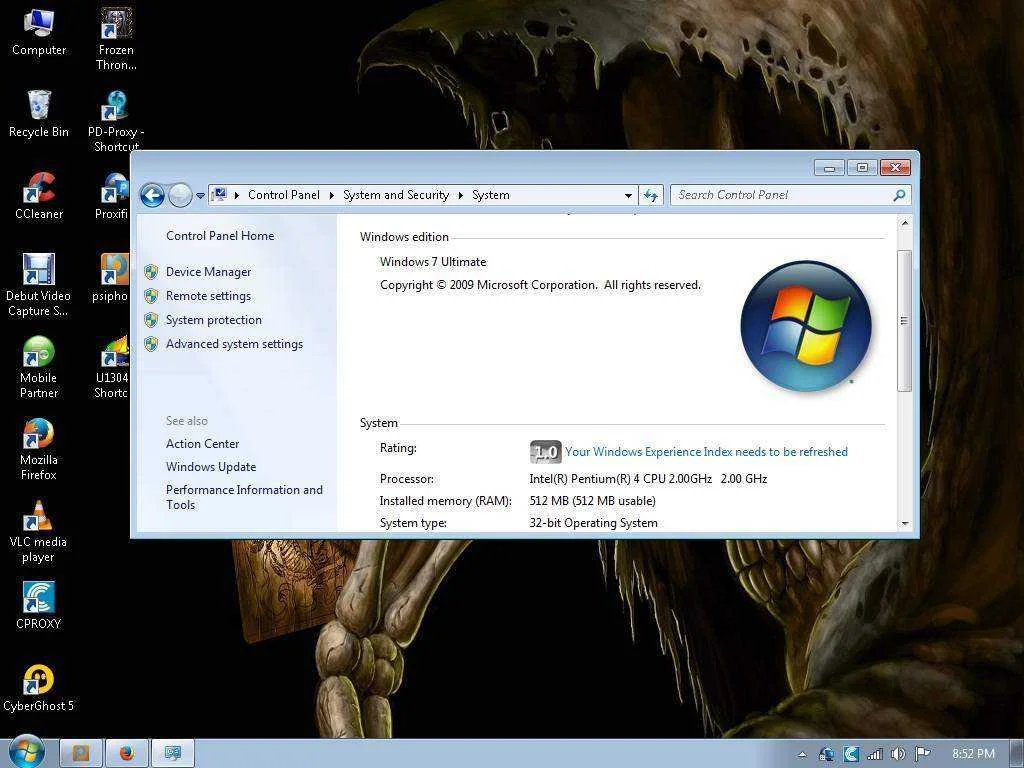
512mb ram minimum requirements ni win7 boss hehe
nainstall ko yan boss gamit lang cd rom at usb
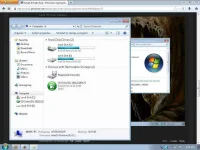
ito pa boss 37gb harddisk
kawawang pc
jamesiswizard_1
Elite
anu ito pa babaaan.,hehehe
nadzbelarmino
Fanatic
la pa pang'upgrade boss hehe
jamesiswizard_1
Elite
un lang.,kung malapit ka lang .,nabigyan na kita ng pyessa.,kaso ubos na.,haha.,case na lang natitira sakin.,la pa pang'upgrade boss hehe
now im planing going to 16 of ram i series.,
nadzbelarmino
Fanatic
swerte naman ng nabigyan mo boss..kahit yung video card or ram nalang sana sakin heheun lang.,kung malapit ka lang .,nabigyan na kita ng pyessa.,kaso ubos na.,haha.,case na lang natitira sakin.,
4 hardisk, 512 video card 6 of Ram 512 1 pc of cpu .isang cd rom at dvd rom/writer.,binigay ko lang.,masisira pa kasi pag di hginamit.,,now isang case na lang cpu,with power supply.,
now im planing going to 16 of ram i series.,
jamesiswizard_1
Elite
pinamigay ko para magamit ng tama.,kaysa sa naka stock langswerte naman ng nabigyan mo boss..kahit yung video card or ram nalang sana sakin hehe
nadzbelarmino
Fanatic
oo nga boss mas madali kasi masira mga parts ng pc pagdi-ginagamitpinamigay ko para magamit ng tama.,kaysa sa naka stock lang
jamesiswizard_1
Elite
but now im exited sa 16 na ram.,.aw.,hehehe.,bili na kasi me.,habang mura pa.,oo nga boss mas madali kasi masira mga parts ng pc pagdi-ginagamit
jeanpasaway
Enthusiast
bos.pnu po mag alocate ng 100gb?
nadzbelarmino
Fanatic
lupet nyan boss para na sigurong kidlat yan sa bilis!
magkano boss?
magkano boss?
jeanpasaway
Enthusiast
magkanu 16gb ram boss?
jamesiswizard_1
Elite
800 isa.,brand new.,bale 8 gig.,so kung dalwa 1600.,1600 = 16gig
Hello mga ka-PH share ko lang itong naexperience ko. malamang naeexperience nyo rin to; pag nagdadownload ako ng big files gamit si IDM with 127.0.0.1 port:3128 and proxifier nkakabypass naman ako sa 100MB ni cproxy kaya lang hangang 150-250MB napuputol na ang download. then na-noticed ko sa setting ng proxifier yung "handle direct connections"
bali ganito yung ginawa kong setting sa proxifier:
1. Profile >> Proxification rules >> cproxy.exe (check) Action: Direct
2. Profile >> Advanced >> handle direct connections (check) Infinite connection loop detection (check)
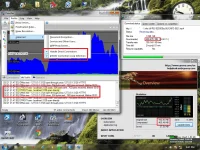
Try nyo lang po. pero as usual no browse na to after u reached 100MB! for downloading purposes lang
bali ganito yung ginawa kong setting sa proxifier:
1. Profile >> Proxification rules >> cproxy.exe (check) Action: Direct
2. Profile >> Advanced >> handle direct connections (check) Infinite connection loop detection (check)
Try nyo lang po. pero as usual no browse na to after u reached 100MB! for downloading purposes lang
- Status
- Not open for further replies.
About this Thread
-
952Replies
-
100KViews
-
121Participants
Last reply from:
adiktous_alpha
adiktous_alpha
New Topics
-
LOOKING FOR WIREGUARD SETUP IN MIKROTIK (WILLING TO PAY )
- Started by moreinformation
- Replies: 1
- 🚀 Freenet & Tunneling
-
MGa BOSS FREE VPN NA MAY PH SERVER PARA DITO SA AFRICA?
- Started by Junbiel 26
- Replies: 0
- 🚀 Freenet & Tunneling
-
PISOWIFI NO HULOG | (26-09-30) | NPV TUNNEL
- Started by Calcifeer
- Replies: 8
- 🚀 Freenet & Tunneling
-
[NOW WORKING] Youtube No Ads & Other Sites! via DNS
- Started by Lerps
- Replies: 31
- 🚀 Freenet & Tunneling
-
Free vpn can bypass captive portal
- Started by Darz2468
- Replies: 6
- 🚀 Freenet & Tunneling
-
Ano po gagawin pag ganto po?
- Started by jokejoke
- Replies: 3
- 🚀 Freenet & Tunneling
-
C pasabit pls need lang po sa edting
- Started by racetrack21
- Replies: 0
- 🚀 Freenet & Tunneling
Trending Topics
-
-
-
WIFI häçk using NodeMCU V3 ESP8266 Deauther + Evil Twin Attack (low badget 200 pesos)
- PHC H3XGAMING
Replies: 575 -
-
Multi-hop VLESS + Cloudflare WARP config (XHTTP + REALITY + TLS), privacy-focused
- Noahclanman
Replies: 4 -
-
Online now
- Members online
- 1,154
- Guests online
- 6,386
- Total visitors
- 7,540