 PH
PHThe Chrome Home flag allows you to do just that. This flag only seems to work on Android phones. We tested it on two tablets and it had no effect.
Move the Address Bar to the Bottom
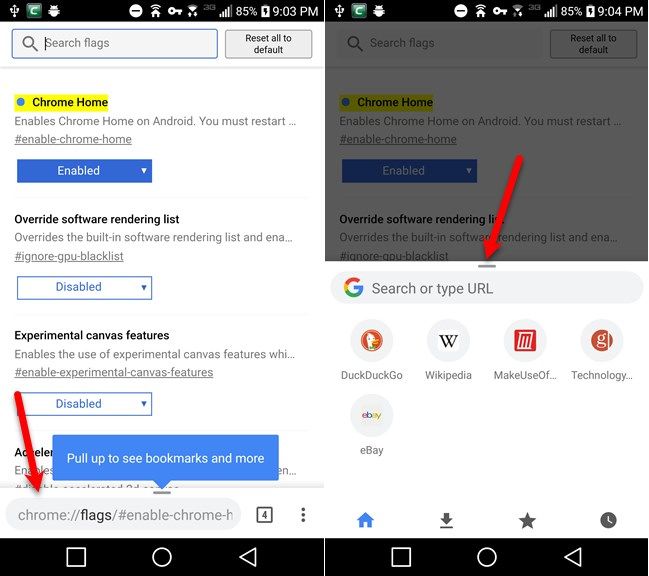
If you use a large phone, it can be difficult to reach the top of the screen when You do not have permission to view the full content of this post. Log in or register now.. So wouldn’t it be easier if you could move the address bar to the bottom of the screen?
- Type chrome://flags/#enable-chrome-home into the address bar and press Enter.
- Tap the dropdown list under Chrome Home.
- Select Enabled.
- Tap Relaunch Now. You won’t see the change yet because you need to restart Chrome twice for this flag to take effect.
- Use the app switcher button on your phone to close Chrome. When you open Chrome again, the address bar will be at the bottom of the screen.
- Swipe up on the address bar to access downloads, bookmarks, and history in addition to the address bar.
Move the Address Bar to the Bottom
If you use a large phone, it can be difficult to reach the top of the screen when You do not have permission to view the full content of this post. Log in or register now.. So wouldn’t it be easier if you could move the address bar to the bottom of the screen?

