 PH
PHRemote Computer Manager
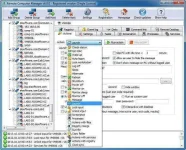
Remote Computer Manager is a network utility for remote computer management. The program allow network administrators to centrally manage network PCs and make: remote desktop control, remote shutdown, run (execute) commands, launch applications and processes, Wake-on-LAN over IPv4, Wake on LAN over IPv6, lock workstation, log on, log off, sleep, hibernate, wake up, reboot, power on, power off, lock and unlock input devices, registry merge, file copy, installation of MSI packages, clock (time) synchronization and other remote operations for computers on network (Windows and Linux PCs). Using Remote Computer Manager you can perform a remote shutdown, power on (turn on), power off (turn off) and restart (reset) the remote computer with Intel AMT (Active Management Technology) and AMD DASH (Desktop and Mobile Architecture for System Hardware). The program can also get the list of remote processes and services, netstat information, screenshot, entries from registry, entries from event log and other details for each PC. Using the application you can make remote operations on one or multiple network computers with one click. Remote operations can be executed automatically according with defined schedule, so you can organize fully automatic computer management for your company. The software supports IPv4 and IPv6 protocol and can be run as a service.
System requirements:
Windows XP, 2003, Vista, 2008, 7, 8, 2012. 32-bit or 64-bit. Net Framework is not required.
To update a previous version of the program just download the current version and install it on top of the previous version (there is no need to uninstall the previous version, just close the program at the time of installation).
Remote Computrer Manager has the following features:
Remote Computer Manager is a network utility for remote computer management. The program allow network administrators to centrally manage network PCs and make: remote desktop control, remote shutdown, run (execute) commands, launch applications and processes, Wake-on-LAN over IPv4, Wake on LAN over IPv6, lock workstation, log on, log off, sleep, hibernate, wake up, reboot, power on, power off, lock and unlock input devices, registry merge, file copy, installation of MSI packages, clock (time) synchronization and other remote operations for computers on network (Windows and Linux PCs). Using Remote Computer Manager you can perform a remote shutdown, power on (turn on), power off (turn off) and restart (reset) the remote computer with Intel AMT (Active Management Technology) and AMD DASH (Desktop and Mobile Architecture for System Hardware). The program can also get the list of remote processes and services, netstat information, screenshot, entries from registry, entries from event log and other details for each PC. Using the application you can make remote operations on one or multiple network computers with one click. Remote operations can be executed automatically according with defined schedule, so you can organize fully automatic computer management for your company. The software supports IPv4 and IPv6 protocol and can be run as a service.
System requirements:
Windows XP, 2003, Vista, 2008, 7, 8, 2012. 32-bit or 64-bit. Net Framework is not required.
To update a previous version of the program just download the current version and install it on top of the previous version (there is no need to uninstall the previous version, just close the program at the time of installation).
Remote Computrer Manager has the following features:
- Remote desktop control.
- Actions with processes (Get list, create and terminate process) on remote computers.
- Operations with services (Get list, install and uninstall, start and stop service) on LAN PC's.
- View registry of network PC's.
- Browse event log of network computers.
- Remote command prompt.
- Launch (execute) applications and files on remote PC's.
- Taking netstat information of remote computers.
- Taking screenshots of network PC's.
- File operations (send file, get file, copy file, move file, rename file and delete file) on LAN computers.
- Actions with registry (create key, add/edit value) on network PC's.
- Merge registry files with the registry of network computers.
- Installation of MSI packages on remote PC's.
- Remote shutdown, reboot, power off with DCOM and WMI for Windows PC's.
- Remote reboot, shutdown, power off with SSH for Linux PC's.
- Turn on, shutdown, reboot, turn off network computers with Intel AMT (vPro) and AMD DASH.
- Wake on LAN over IPv4 and IPv6.
- Wake up network computers with magic packet.
- Switching network PC's into sleep and hibernate state.
- Logon and logoff users on remote computers.
- Lock workstation, lock and unlock input devices on network PC's.
- Send message to network computers.
- Browse files of LAN computers.
- Time zone and time synchronization on remote PC's.