 PH
PH-
Welcome to PHCorner Forums! Sign up for free to unlock full access and exclusive privileges, including:
- Asking questions about computer and mobile issues
- Discovering internet tips for your mobile network and computer
You are using an out of date browser. It may not display this or other websites correctly.
You should upgrade or use an alternative browser.
You should upgrade or use an alternative browser.
🔒 Closed help po, cant format my kingston dt 101 g2 16gb
- Thread starter Hlafort
- Start date
- Status
- Not open for further replies.
first option : punta ka sa Control Panel-->view by: small icon-->Administrative Tools-->Computer Management-->stotage then right yung gusto mong reformat na storage device
second Option:
To format a USB flash drive from command prompt, follow the below procedure:
You do not have permission to view the full content of this post. Log in or register now.
wag po mahiyang magtanong kapag hindi gumana
second Option:
To format a USB flash drive from command prompt, follow the below procedure:
- Connect the USB flash drive to your PC.
- Click on Start > Run > Type cmd and click on OK.
- Assuming the letter of the USB flash drive is G.
- Now enter this command.
- format /q /x G: and press Enter.
- Note: Don't forget to replace the letter "G" with your drive letter.
You do not have permission to view the full content of this post. Log in or register now.
wag po mahiyang magtanong kapag hindi gumana
patay tayo jan parang sa flash drive ko rin yan Corrupted na yan bro.wala pong gumana sir,
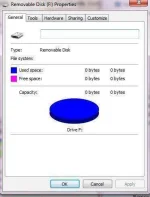
ganyan po rin yung sakin na try mo na sa ibang pc e reformat?
oo pre,., natry ko na pero walang pagbabago
panu sir pag sandisk brand na flash drive kofirst option : punta ka sa Control Panel-->view by: small icon-->Administrative Tools-->Computer Management-->stotage then right yung gusto mong reformat na storage device
second Option:
To format a USB flash drive from command prompt, follow the below procedure:
third Option: format using Kingston Format Utility
- Connect the USB flash drive to your PC.
- Click on Start > Run > Type cmd and click on OK.
- Assuming the letter of the USB flash drive is G.
- Now enter this command.
- format /q /x G: and press Enter.
- Note: Don't forget to replace the letter "G" with your drive letter.
You do not have permission to view the full content of this post. Log in or register now.
wag po mahiyang magtanong kapag hindi gumana
sorry po na late sa pag reply, now lang nka online pwede po yan try mo popanu sir pag sandisk brand na flash drive ko
- Status
- Not open for further replies.
About this Thread
-
8Replies
-
5KViews
-
3Participants
Last reply from:
siRAULlou
siRAULlou
New Topics
-
Door Lock Keycard SDK
- Started by Porky Chao Fan
- Replies: 0
- ❓ Computer Discussion & Support
-
Counter strike sa mac
- Started by AYuna23
- Replies: 0
- ❓ Computer Discussion & Support
-
Booting Issue - FA506NFR
- Started by Impossible
- Replies: 0
- ❓ Computer Discussion & Support
-
Acrobat Pro DC ρá†ch. Need Help
- Started by skullkrasher99
- Replies: 3
- ❓ Computer Discussion & Support
-
Enlighten me please with these two
- Started by Jeii
- Replies: 4
- ❓ Computer Discussion & Support
-
Win 10 Home keys
- Started by Ali246
- Replies: 6
- ❓ Computer Discussion & Support
-
Windows 11 26H2
- Started by tholitz
- Replies: 1
- ❓ Computer Discussion & Support
-
Help po !!!! My account got häçked Facebook and steam
- Started by bujoy20
- Replies: 8
- ❓ Computer Discussion & Support
-
Mga bossing patulong po nahäçk account ko due to carelessness
- Started by Jeii
- Replies: 4
- ❓ Computer Discussion & Support
Trending Topics
Online now
- Members online
- 1,061
- Guests online
- 8,426
- Total visitors
- 9,487