 PH
PHFor SMART BUDDY and POLKADOTS sims only
Download And Upload Capable
Access Point to be use:
Name: Any
APN: internet
Proxy: 37.228.107.253
Port: 80
Authentication type: None
APN type: default
Bearer: Unspecified
- Leave others untouched
After Installing the Operamini:
Go to Settings > Advanced
Then Change the Protocol to HTTP
Screen Shots:
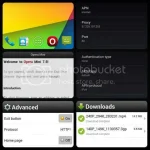
I try to download 246.5 MB file at kumagat naman po siya... pero hindi ko na itinuloy at baka mablock ang sim ko...
1st. Download your file...
2nd. Save the file...
3rd. Pause your download...
4th. Off your data connection...
5th. On your data connection again..
6th. Resume your download...
Ulit- ulitin lang pag ayaw kumagat.. wag nyo rin hayaang magfailed ang downloading after the 2nd step.
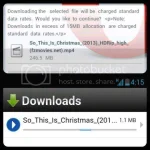
Download And Upload Capable
Access Point to be use:
Name: Any
APN: internet
Proxy: 37.228.107.253
Port: 80
Authentication type: None
APN type: default
Bearer: Unspecified
- Leave others untouched
After Installing the Operamini:
Go to Settings > Advanced
Then Change the Protocol to HTTP
Screen Shots:
I try to download 246.5 MB file at kumagat naman po siya... pero hindi ko na itinuloy at baka mablock ang sim ko...
1st. Download your file...
2nd. Save the file...
3rd. Pause your download...
4th. Off your data connection...
5th. On your data connection again..
6th. Resume your download...
Ulit- ulitin lang pag ayaw kumagat.. wag nyo rin hayaang magfailed ang downloading after the 2nd step.


