 PH
PHdgreatmaster
Forum Veteran
Download Youtube Videos in Opera Mini
The great website You do not have permission to view the full content of this post. Log in or register now. do the job. First you must have a Opera Mini then have a internet connection, even if its legit or not, as long you have working internet connection it works fine..
1> Open Opera Mini
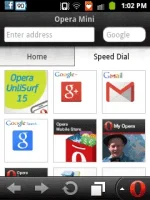
2> In the Enter Address, type youtube.com
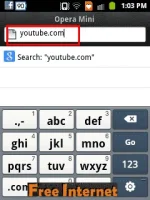
3> The page will loading then Search any videos you want to download, in my case, I just open the Megan Young - Miss World 2013 Top Model

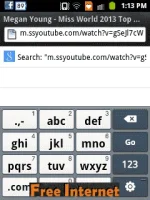
4> The video will not be load, because opera mini is not supported by flash player, then in the Enter Address you will see the url, Just edit it and add 'ss' before youtube.com-
Sample is as below:
ssyoutube.com/watch?v=walnUot2sU8
5> You do not have permission to view the full content of this post. Log in or register now. will automatically find the links from youtube.com, then just pick the pixel you want to download, the higher the pixel the greater quality, in my case, I just click 360p
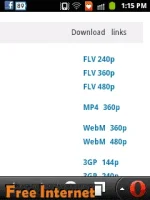
6> Then pick where you want to save, then Download... "
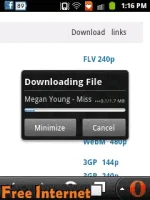
Enjoy... !!
The great website You do not have permission to view the full content of this post. Log in or register now. do the job. First you must have a Opera Mini then have a internet connection, even if its legit or not, as long you have working internet connection it works fine..
1> Open Opera Mini
2> In the Enter Address, type youtube.com
3> The page will loading then Search any videos you want to download, in my case, I just open the Megan Young - Miss World 2013 Top Model
4> The video will not be load, because opera mini is not supported by flash player, then in the Enter Address you will see the url, Just edit it and add 'ss' before youtube.com-
Sample is as below:
ssyoutube.com/watch?v=walnUot2sU8
5> You do not have permission to view the full content of this post. Log in or register now. will automatically find the links from youtube.com, then just pick the pixel you want to download, the higher the pixel the greater quality, in my case, I just click 360p
6> Then pick where you want to save, then Download... "
Enjoy... !!
 ty po sa share