 PH
PH
Ultra Keyboard v7.1 Apk | 5 MB | Mediafire
Requires Android:1.5 and up
Ultra Keyboard is an advanced touch-screen keyboard, with many features geared towards giving you a better Android keyboard experience.
What’s in this version :
- New:
- Any selected text can be shifted
- “Show/Hide Suggestions” action
- Hidden characters on dedicated digit keys
- Set default menu action to “none”
- Theme names up to 32 characters
- Updated key sounds
- Fixed:
- Editor button issues
- Suggestions close when toggling full-screen mode
- Compact popup keys close incorrectly
- Compact alpha layout issues
- Suggestion text size for small bar heights
- Selected theme not migrated from demo
- Inconsistencies in settings
- App Review:
TOOL BAR
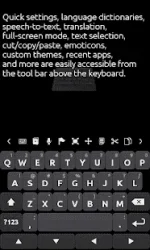
Ultra’s tool bar provides a ton of features in a tight space. Flick the tool bar left or right to scroll through the available buttons. Quickly change many settings, navigate through text, cut and paste, change dictionaries, change themes, insert emoticons, and more. Show or hide the tool bar by pressing your device’s menu button.
CUSTOM THEMES
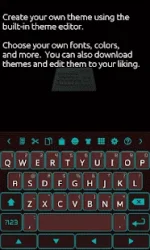
Ultra supports many keyboard themes available from the market, both free and ρáíd. Quickly switch between themes using the tool bar. You can also use Ultra’s built-in theme editor to create your own themes, or edit existing ones. Don’t like a theme’s font? Change it!
SUGGESTIONS
Like most keyboards, Ultra suggests words while you type. The suggestions box is designed to be smart, fast, and easy to use, with many unique features. Add custom words to your personal dictionary. Long-press a word, and you can black-list it so it doesn’t show up in the suggestions.
MULTIPLE LANGUAGES
Ultra comes with a built-in English language dictionary, but there are other dictionaries available that you can download right from the keyboard.
WORD REPLACEMENTS
Type “brb” to quickly type “be right back”. There are many built-in replacements, and you can add your own.
DYNAMIC UI
Ultra can combine keys so they’re easier to press, similar to Blackberry™ phones. For devices that don’t have a track pad or built-in navigation, there are arrow keys that let you quickly move the cursor. Easily make the keys taller or shorter.
MULTI-TOUCH SUPPORT
For devices with multi-touch-capable screens, you can press multiple keys at once. Quickly enter a capital letter by sliding your finger from the shift key. Slide your finger from the view key to enter numbers or symbols.
You won’t have to change views just to enter a single number. Hold down certain keys to quickly access secondary and hidden characters.
WORD TRACING
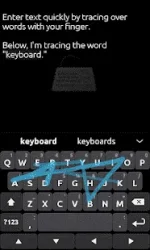
Have you heard of that popular keyboard that lets you swipe your finger over words, instead of typing each letter? Ultra can do that too.
SPEECH-TO-TEXT
Speak to Ultra Keyboard. It uses Google’s web-based service to transform your spoken words (and punctuation) into text.
TRANSLATION
Quickly translate your text to dozens of languages.
CAMERA MODE
Activate your camera to see where you’re going while you text your friends.
CUSTOMIZABLE SETTINGS
Almost everything in Ultra is customizable. Want to show more suggestions? You can. Don’t use a few of the tool bar buttons? Remove them.
You do not have permission to view the full content of this post. Log in or register now.