PH
PHNice usefull talaga po ito try nyu po
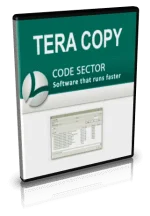
TeraCopy is useful to copy and move multiple files at the maximum possible speed. It also skips bad files during the copying process, and at the end of the transfer displays the files name. You can see which ones need attention and skip it or fix the problem and re-try copy/move of the file . TeraCopy automatically check errors by calculating their CRC values. TeraCopy integrates with Windows Explorer’s and any time you can right-click and check Teracopy Menus.
How to copy multiple files with high speed:
Features:
TeraCopy is useful to copy and move multiple files at the maximum possible speed. It also skips bad files during the copying process, and at the end of the transfer displays the files name. You can see which ones need attention and skip it or fix the problem and re-try copy/move of the file . TeraCopy automatically check errors by calculating their CRC values. TeraCopy integrates with Windows Explorer’s and any time you can right-click and check Teracopy Menus.
How to copy multiple files with high speed:
Features:
- Copy files faster: It gives 10x speed than Windows default copy/move speed and for multiple file transfer it gives 100x speed.
- Pause/resume file transfer supported: You can pause and resume your multiple file transfer anytime you wanted.
- Error recovery: It can detect file transfer errors and give you suggestions what to do to fix it


 Thanks