 PH
PHdgreatmaster
Forum Veteran
Sidebar Plus Premium (Multi-bars) v1.3
Requires Android:2.2 and Up
Sidebar Plus – brilliant multi-tasking from anywhere
What’s New
App Review:
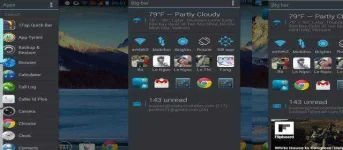
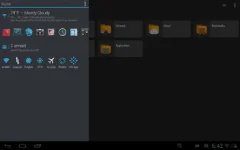
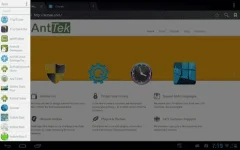
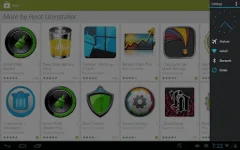
It’s light, fast, customizable to your taste. You can put various items in the sidebars such as apps, contacts, commonly accessed settings, shortcuts, and DashClock extensions as well at widgets. It supports multiple bars, as well as change the visuals and trigger options for the bars.
Features
☆ Create multiple bars that can open from aside
☆ Pin apps, common settings, contacts, shortcuts into bar
☆ Big Bar brings favorite apps, frequent contacts, settings, weather, running apps, widgets in a bar
☆ Customize a bar with theme, colors, icon size, opacity, bar alignment (left/right)
☆ Deeply integrate to system: slide to open bar while using other app
☆ Include 3 themes: dark, light, holo-dark.
How to cook a bar
A bar consists of items and options. Items are apps, settings, shortcuts, contacts, bookmarks, widgets, Dashclock extension. No limit on a number of items on a bar. Bar restricts to items from the same category except mixed bar and big bar. Options includes themes, item style, icon style, sort order, search box and bar opacity.
How to use a bar
☆ Slide from left side (or right side if right sidebar alignment) OR
☆ Long-click on leftmost (or rightmost) to open
☆ Fling to quick open
☆ Click on free area or fling in reverse direction to close
☆ Click on an item to run default action. Long-click on a action to run secondary action
☆ Click on sidebar notification to toggle sidebar visibility
☆ Shortcut to quickly open a bar
Notification
To prevent Sidebar from being kill by system.
Enjoy....

Requires Android:2.2 and Up
Sidebar Plus – brilliant multi-tasking from anywhere
What’s New
- - Added divider line
- - Support to adjust bar width manually
- - Fixed vertical scroll issues
- - Support shortcut, widget 1x, 2x in all bars
- - Fixed various minor bugs
- - Support more languages: Arabic, Russian, Ukrainian, Chinese/CN, Chinese/TW
- Full change logs: You do not have permission to view the full content of this post. Log in or register now.
App Review:
It’s light, fast, customizable to your taste. You can put various items in the sidebars such as apps, contacts, commonly accessed settings, shortcuts, and DashClock extensions as well at widgets. It supports multiple bars, as well as change the visuals and trigger options for the bars.
Features
☆ Create multiple bars that can open from aside
☆ Pin apps, common settings, contacts, shortcuts into bar
☆ Big Bar brings favorite apps, frequent contacts, settings, weather, running apps, widgets in a bar
☆ Customize a bar with theme, colors, icon size, opacity, bar alignment (left/right)
☆ Deeply integrate to system: slide to open bar while using other app
☆ Include 3 themes: dark, light, holo-dark.
How to cook a bar
A bar consists of items and options. Items are apps, settings, shortcuts, contacts, bookmarks, widgets, Dashclock extension. No limit on a number of items on a bar. Bar restricts to items from the same category except mixed bar and big bar. Options includes themes, item style, icon style, sort order, search box and bar opacity.
How to use a bar
☆ Slide from left side (or right side if right sidebar alignment) OR
☆ Long-click on leftmost (or rightmost) to open
☆ Fling to quick open
☆ Click on free area or fling in reverse direction to close
☆ Click on an item to run default action. Long-click on a action to run secondary action
☆ Click on sidebar notification to toggle sidebar visibility
☆ Shortcut to quickly open a bar
Notification
To prevent Sidebar from being kill by system.
Enjoy....