PH
PHUpdate:
3 hours NO DC:

Torrent Server:
Gayahin ang nasa 2nd SS n settings ni uTorrent. Then exit muna, reconnect HSS tapos check if consistent ang ping finally open uTorrent wait till magkaroon ng DL and UL speed. Pag nawala ang PING s pinger mo, i'reconnect ang VPN and do it again
Tip:
1. Delete all "http:" Trackers.
2. Stable si Torrent s TCP Config kaso mabagal nga lng 300kbps MAX. Sa UDP kase panay replay kaya pala nwwla ang ping and connection.
Sa Speculators e, d ko alam kung bakit ganyan basta sakin lng e nabbypass ng proxy setting na non-existent ang normal na way para ma detect ng SERVER ni HSS na ang connection pala ay galing sa Peer to Peer Client.
Say what you want.. kasi,
Libre naman ang lait e!
Note:
Sa di maka'pagana reply to this thread with your corresponding SS.
(Warning not for newbies)
Screenshot:

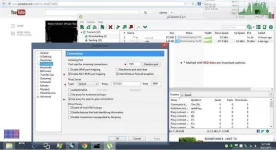
Para sa mga Torrent Lovers na gaya ko.
TCP Connection Config...
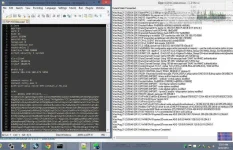
Attached config po for OpenVPN Portable Users Only.
paste sa "/data/config" folder".
If ayaw magkonek or minsan nag-loko:
Check for the ffg:
Kaya nga po BETA kasi under observation pa.
Screenshot:
3 hours NO DC:
Torrent Server:
Gayahin ang nasa 2nd SS n settings ni uTorrent. Then exit muna, reconnect HSS tapos check if consistent ang ping finally open uTorrent wait till magkaroon ng DL and UL speed. Pag nawala ang PING s pinger mo, i'reconnect ang VPN and do it again
Tip:
1. Delete all "http:" Trackers.
2. Stable si Torrent s TCP Config kaso mabagal nga lng 300kbps MAX. Sa UDP kase panay replay kaya pala nwwla ang ping and connection.
Sa Speculators e, d ko alam kung bakit ganyan basta sakin lng e nabbypass ng proxy setting na non-existent ang normal na way para ma detect ng SERVER ni HSS na ang connection pala ay galing sa Peer to Peer Client.
Say what you want.. kasi,
Libre naman ang lait e!
Note:
Sa di maka'pagana reply to this thread with your corresponding SS.
(Warning not for newbies)
Screenshot:
Para sa mga Torrent Lovers na gaya ko.
TCP Connection Config...
Attached config po for OpenVPN Portable Users Only.
paste sa "/data/config" folder".
If ayaw magkonek or minsan nag-loko:
Check for the ffg:
- Check IP 10.15x dapat ang start ng IP di yung 10.23x n Series pero ok naman ang 10.23x
mas mabilis lng ang connection pag 10.15x. Base sa tests ko. - Pag ayaw pa din balik muna sa UDP configs.
Kaya nga po BETA kasi under observation pa.
Screenshot:


 hindi na nagana yung ibang configs... yung iyo nagana. thank you thank you.