 PH
PHricardo deguia
Honorary Poster
SHARE Your Hotspot Shield VPN Through Wi-Fi
via Connectify Hotspot/Dispatch 4.2.0.26088 Pro
(Screenshot Tutorial)
Note:
Ginawa ko lang ang thread na to para dun sa mga hindi pa marunong gumamit ng Connectify lalo na sa mga HSS Users.
Requirements
- Wi-Fi Supported Laptop/Desktop
- Kunting Utak
- 1 marlbøø Stick - Para marelax (optional)
How To Install:
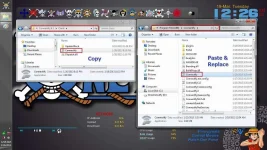
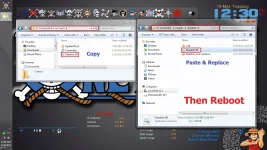
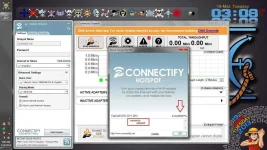
Download and extract the file then follow the Screenshots:
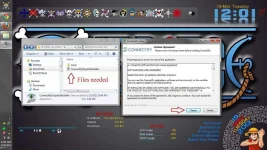
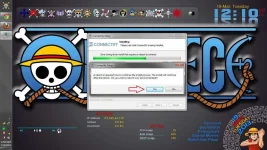
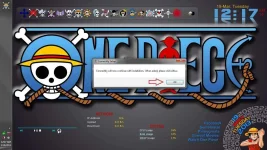
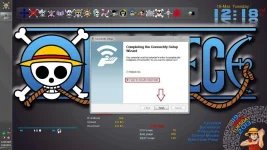
__________________________________________________ _______________
How To CONNECT:
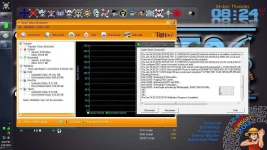
Step 1:
Connect to your Hotspot Shield VPN
Step 2:
-Switch On your Wi-Fi
-Open Connectify software
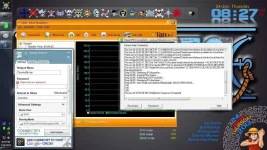
Step 3:
Copy the settings
NOTE: Bahala na kayo kung anong Hotspot Name ang gusto niyo.
Sa Advanced Settings naman, pwede niyo lagyan ng password.
Palitan niyo na lang ang Sharing Mode
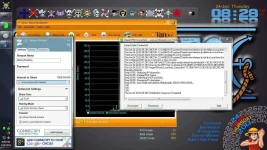
Step 4:
Click Start Hotspot
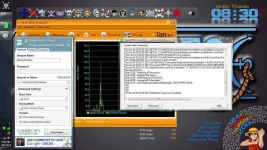
Step 5:
Pwede na kayo mag connect via Wi-Fi
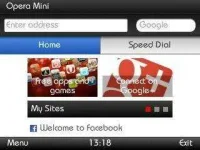
(Screenshots shows that Connected na yung E71 Phone ko)
http://www.phc.onl/#forbidden#.com/images/statusicon/wol_error.gifThis image has been resized. Click this bar to view the full image. The original image is sized 1366x768.
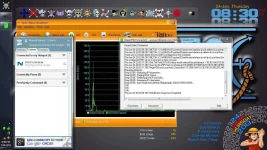
Nokia E71 + Opera Mini 7.1
via Connectify Hotspot/Dispatch 4.2.0.26088 Pro
(Screenshot Tutorial)
Note:
Ginawa ko lang ang thread na to para dun sa mga hindi pa marunong gumamit ng Connectify lalo na sa mga HSS Users.
Requirements
- Wi-Fi Supported Laptop/Desktop
- Working HSS VPN
- Connectify Hotspot + Dispatch Pro (4.2.0.26088)
- Kunting Utak
- 1 marlbøø Stick - Para marelax (optional)
How To Install:
Download and extract the file then follow the Screenshots:
- Dont Run the Application
- Copy Connectify.exe from the CRACK Folder and paste it to the installation folder: C:\Program Files (x86)\Connectify
- Copy Dispatch.dll from the CRACK Folder and paste it to the installation folder: C:\Program Files (x86)\Connectify\plugins\dispatch
__________________________________________________ _______________
How To CONNECT:
Step 1:
Connect to your Hotspot Shield VPN
Step 2:
-Switch On your Wi-Fi
-Open Connectify software
Step 3:
Copy the settings
NOTE: Bahala na kayo kung anong Hotspot Name ang gusto niyo.
Sa Advanced Settings naman, pwede niyo lagyan ng password.
Palitan niyo na lang ang Sharing Mode
Step 4:
Click Start Hotspot
Step 5:
Pwede na kayo mag connect via Wi-Fi
(Screenshots shows that Connected na yung E71 Phone ko)
http://www.phc.onl/#forbidden#.com/images/statusicon/wol_error.gifThis image has been resized. Click this bar to view the full image. The original image is sized 1366x768.
Nokia E71 + Opera Mini 7.1

