PH
PH
Description
"Wakelock Detector"
Ever wondered why your smartphone screen does not turn off automatically when it should have, the screen wakes up all of a sudden or you find your phone battery drained even when you exited apps and turned off the screen? This might be due to wakelock holding apps.”Wakelock Detector” helps you to detect battery consuming applications in your Android device by checking wakelock usage history. Now you can find out which applications drain your battery in a simple way by using this app!
“Wakelock” is a mechanism of power management service in Android OS, which can be used by other applications to keep CPU awake (Partial wakelock) and keep/turn the screen on(Full wakelock). Applications which use wakelock privilege improperly leads to situations where the CPU or phone screen stays on without user awareness and thus causing dramatic battery drain.
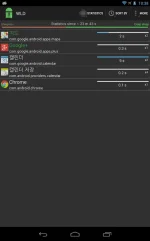
“Wakelock Detector” shows wakelock usage statistics for all applications, which ever held wakelock since boot. By default it displays CPU wakelocks sorting by the longest usage time. Further, you can choose Screen wakelock type to see screen related wakelocks. For instance, if your screen is keeping on even after screen timeout or your screen turns on randomly by itself, then you can choose Screen wakelock type on the top (Brightness icon) to see which wakelocks are holding your screen wakelock. Also, you can choose "Wakeup triggers" to see apps which are registered to Andrpod OS "Alarm Manager". Furthermore, if you are interested in currently running applications then you can change sorting type to "Active" which shows active running applications on the top. For further details please refer to FAQ inside Settings.
Main features:
# shows both CPU wakelock (Partial wakelock) and Screen wakelock (Full wakelock) ;
# merges wakelocks of corresponding app into one expandable view for better user experience;
# currently active running applications are shown in Green color;
# allows easy sorting options by Running state , Wakelock time and Alphabetical order;
# shows "Wakeup triggers" which cause heavy usage of "Alarm Manager" wakelock
How to use:
#1 Install the app
#2 Charge your phone above 90% and unplug cable (or just reboot the phone)
#3 Give it a time (1-2 hours) to accumulate some wakelock usage statistics
#4 Run “Wakelock Detector”, it will display wakelock statistics for you!
#5 Check the apps on the top, if they show very long wakelock usage time then you found the cause of your battery drain!
*Note: Wakelock Statistics are gathered since Step#3
Notice
We are working on improving the performance of the “Wakelock Detector” by adding new features regarding wakelock issues users usually face. We are trying to follow up all your comments. And we know that the application is not ideal yet. We would appreciate if you send us email before giving negative comments in the Play Store. Your feedbacks are always welcome.
Reviews:
XDA - You do not have permission to view the full content of this post. Log in or register now.
HowToGeek - You do not have permission to view the full content of this post. Log in or register now.
Lifehäçker - http://lifehäçker.com/5993706/wakelock-detector-shows-you-the-apps-that-keep-your-phone-awake
DotTech - You do not have permission to view the full content of this post. Log in or register now.
Temefy - You do not have permission to view the full content of this post. Log in or register now.
Explaining Wakelocks [Recommended] - You do not have permission to view the full content of this post. Log in or register now.
Keywords: wakelock detector, wakelock, partial wakelock, battery save, screen keeps on,cpu awake, battery drain, display which app drains your battery, betterbatterystats, battery doctor, battery saver, save battery, app analyzer, app statistics, battery help, save energy, greenify, detect battery drain, wake lock statistics widget, extend battery life, prolong battery life, battery defender, battery power saver, easy battery saver, juicy defender, app battery usage stats, battery analyser
What's New
# Kernel wakelocks (in Advanced mode)
# Active running apps color changed: Green->Red
# Show wakelock "hold time" change in Red on "Refresh"
# Popup on long pressed wakelock tags
# Dark theme, Widgets (small , medium)
# Knowledge database [Only English]
# Statistics Since USB charger unplug
# "Wakeup triggers" shows which apps woke up the system via AlarmManager
* "Knowledge database" contains only 40 entries and mostly Android OS related issues.